Loading...


2nd Quarterly Exam in TLE-Technical Drafting 10
Quiz by Jussa Leilady Alberba
Tag the questions with any skills you have. Your dashboard will track each student's mastery of each skill.
The ______ command creates a rectangular polyline whose sides are vertical and horizontal.
This command works in the same way as the Line command allowing you to pick as many points as you like.
This command requires four inputs from the user, the number of sides, a pick point for the center, an option if inscribed or circumscribed and a point which determines the radius of its imaginary circle.
Which command is used on the illustration?

Which command is used on the illustration?

Which command is used on the illustration?
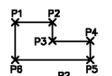
Which Function Key Reverses or undo the last action?
Which Function Key Ends a command ?
This key opens a pop-up screen window at the bottom showing the command line.
When you press this key it will automatically activates the Objectsnap feature of AutoCAD.
This key opens the AutoCAD Help window
Same as the Enter Key, except when entering key.
This function key will allow the user to use the polar tracking option
This key will turn ORTHO mode on or off.Ortho is short for orthogonal, which meanseither vertical or horizontal.
This function key when pressed will set the Grid mode on/off.
This key when press will automatically activates the Object snap feature of AutoCAD.
Identify what Modify command toolbars are illustrated

Identify what Modify command toolbars are illustrated

Identify what Modify command toolbars are illustrated

Identify what Modify command toolbars are illustrated

Complete the blank spaces in the table by choosing the missing Shortcut

Complete the blank spaces in the table by choosing the missing Functions
Complete the blank spaces in the table by choosing the missing Procedure
Complete the blank spaces in the table by choosing the missing Shortcut

Complete the blank spaces in the table by choosing the missing Function
Complete the blank spaces in the table by choosing the missing Procedure
Complete the blank spaces in the table by choosing the missing Command

Complete the blank spaces in the table by choosing the missing Function
Complete the blank spaces in the table by choosing the missing procedure
Complete the blank spaces in the table by choosing the missing Shortcut

Complete the blank spaces in the table by choosing the missing function
Complete the blank spaces in the table by choosing the missing procedure
Complete the blank spaces in the table by choosing the missing command

Complete the blank spaces in the table by choosing the missing Shortcut
Complete the blank spaces in the table by choosing the missing Procedure
Complete the blank spaces in the table by choosing the missing Shortcut

Complete the blank spaces in the table by choosing the missing Function
Complete the blank spaces in the table by choosing the missing Procedure
Complete the blank spaces in the table by choosing the missing command

Complete the blank spaces in the table by choosing the missing Shortcut
Complete the blank spaces in the table by choosing the missing procedure
Complete the blank spaces in the table by choosing the missing command

Complete the blank spaces in the table by choosing the missing Shortcut
Complete the blank spaces in the table by choosing the missing procedure
What Command is used for the tiles on this picture?

Which command is used to make the Toilet and Lavatory in the picture?
Which command is used to change the Line Type and Line Size of Line used?
What command is used to project lines from the floor plan to make an elevation?
Which command is used to make the picture?

Where in the ADC Command can you find this picture?
