Loading...


C++
Quiz by Yaithd Daniel Olivas Arcos
Tag the questions with any skills you have. Your dashboard will track each student's mastery of each skill.
What is the correct pronunciation of cout?
The cout keyword together with >> operator allow us to print messages.
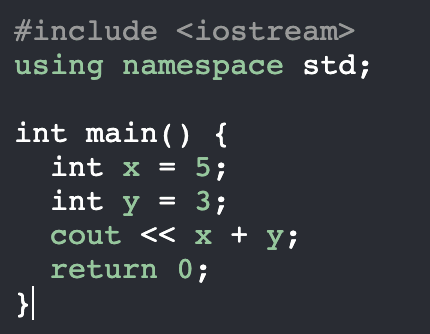
The code on the image is totally correct.
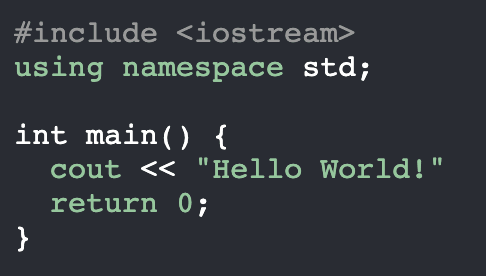
The code on the image has an error. It doesn't include "using namespace std;"
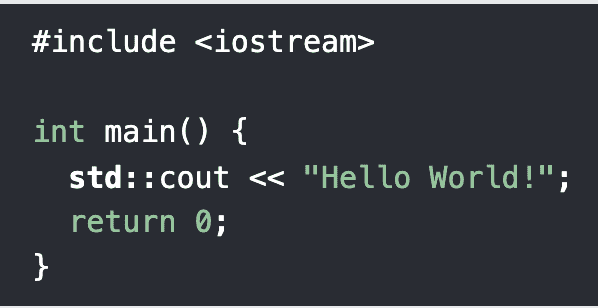
Comments can be used to explain C++ code, and to make it more readable.
Comments can be used to prevent execution when testing alternative code.
The code on the image contains a comment.
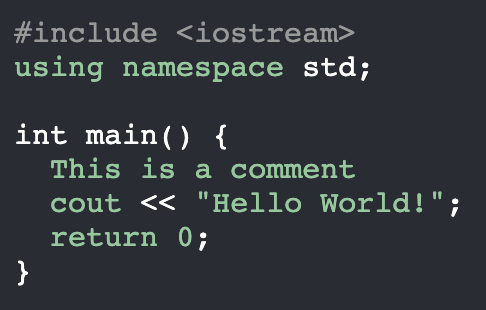
The code on the image contains a multi-line comment.
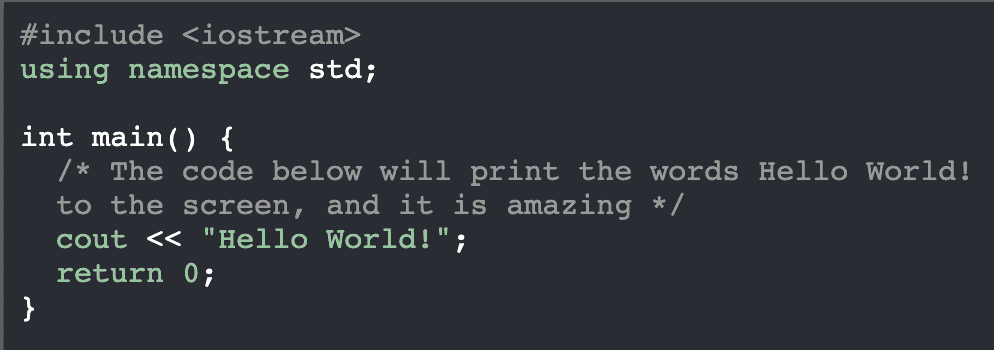
What is the type of the variable on the image?
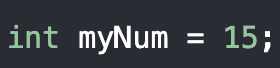
Choose the correct syntax to define a variable in C++.
Guess the variable type. We use this variable to store numbers with decimals.
Guess the variable type. We use this type of variable to store single characters.
Guess the variable. We use this type of variable to store text.
Guess the variable. We use this type of variable to store values with two states.
We use cin together with the << operator to get user input.
Choose the operator that is used in the code.
Link the operator with its category.