Loading...

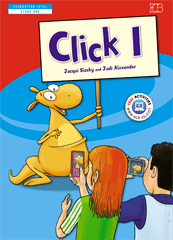
/Click -1/ Letter -Dd- מילים וחזרה -
Quiz by Victoria. B.
Customize this quiz to suit your class
Instantly translate to 100+ languages
Tag the questions with any skills you have. Your dashboard will track each student's mastery of each skill.
Give this quiz to my class















 Align Panel: This panel allows you to align one or more objects the the artboard or other objects. Alignment: Formatting the appearance of text with the margins of the text box. Anchor Point Tool: Allows you to add or remove handles to create a curve on an anchor point. Anchor Points: A point on a path indicates a change of direction. Appearance Panel: This panel shows you the fill, strokes, graphic styles, and effects that have been applied to an object, group or layer and are able to modify theses from this panel directly. Area Type Tool: This occurs when using the type tool and you click and drag a text box, the text will automatically wrap inside the box. Blend Tool: This tool allows you to combine shapes/colors between two or more objects to create a new object between the original, blending the colors and shapes by inserting the middle steps to get from one object to the next. Blob Brush Tool: This tool is used to create free-form objects that can have a more hand-drawn feel. Brushes: Allows you to set the appearance/style of a path, can be applied to existing paths or used to create new paths. Clipping Masks: This command allows you to mask objects to a shape so that only areas that lie within the shape are visible, the mask and objects that are masked are called a clipping set. Closed Path: A path that has the same beginning and ending point. It forms a complete shape that can be filled with color or text. Create Outlines: This command converts text to closed paths and can be found in the Type Menu. Curvature Pen Tool: Allows you to simply create paths with curved anchor points. Curves: Can be applied to an anchor point using handles to create an arched line. Direct Select Tool: Allows you to select individual points of any path. Effects: These can be added to objects to create quick dynamic characteristics. Eraser Tool: This tool allows you to remove anchor points and cut through paths. Expand Objects: This allows you to divide a single object into multiple objects that make up its appearance. Eyedropper Tool: This tool allows you to sample the color or text from an existing part of the artwork. Global Swatches: This is a color swatches that will be automatically updated throughout your artwork when you change them, indicated with a white triangle in the corner of the swatch. Graphic Styles: A set of reusable appearance attributes that allow you to quickly change the look of an object. Grouping: This command allows you to link objects together so that they can be moved, scaled, rotator, or copy. Groups can be nested inside other groups. Hierarchy: To create visual order in design, controlling what the viewer looks at in order using size, color, contrast, etc… Image Trace: This command allows you to convert a raster image into a vector artwork. Isolation Mode: This mode allows you to adjust single objects/groups inside a group without ungrouping the group. Join Tool: This tool joins paths and anchor points together quickly. Kerning: This is the adjustment of the space between two individual letters. Knife Tool: This tool allows you to split an object into 2 pieces along a freehand path you draw. Leading: This is the adjustment of the space between lines of text. Live Corners: This widget appears when using the Direct Select tool and a corner is selected, when used this will create a rounded corner. Live Paint: This command allows you to quickly apply colors to objects in a complex design. Open Path: A path that does not end, not connected back to the original anchor point. Overflow Text: This occurs when the text box is too small to house all the text and is indicated by a small red plus sign in the bottom right corner of the text box. Paintbrush Tool: This tool is used to create free-form paths that can have a more hand-drawn feel. Paragraph Spacing: The space that occurs between lines of text. Pathfinder Panel: This panel allows you to create complex shapes by selecting 2 or more objects and using the buttons in the panel to cut, combine, or divide the objects. Paths: These are created when 2 or more points are connected, these are created using the pen tool. Pen Tool: It allows you to create and edit anchor points and paths. Pencil Tool: This tool is used to create free-form shapes or lines, the accuracy of the lines can be adjusted. Perspective Tool: This tool allows you to place elements on a perspective grid to adjust objects on a different perspective, automatically snapping to the perspective grid. Placeholder Text: Text that is placed in a text box that "holds a place" in a design to allow for creating a layout or adjust the text design. Point Type Tool: This occurs when when using the type tool and you click once, the text will continue without wrapping. Readability: The characteristics of fonts and styles that make test easy to identify and read. Scale, Shear, Distort Objects: This set of commands allows you to adjust the size and perspective of objects. Scissors Tool: This tool allows you to split a path into 2 pieces. Selection Tool: Allows you to select paths, objects or groups by click or dragging over them. Shape Builder Tool: This interactive tool allows you to create complex shapes by merging and erasing simpler objects. Shapes Tools: A group of tools to create basic shapes without using the pen tool (rectangle, ellipse, polygon, star, etc…). Smooth Tool: This tool will smooth a complex path and reduce the number of anchor points. Swatches: This is a saved color that can be applied in a design via the swatches panel and can be grouped, these can include gradients and patterns. Text Wrapping: This is when the text in a text box automatically wraps to the next line when it reaches the edge of the box. Threading Text: This is the ability to create 2 or more text boxes that are linked, when text is added/adjusted in one box, it will affect the other(s). Touch Type Tool: This tool allows you to adjust individual letter in a previously created text box. Tracking: This is the adjustment of the overall spacing between letters. Transform Objects: This allows you to change the size of objects. Type on a Path Tool: This tool allows you to add text along any previously created path. Type Tool: This tool allows you to create text in a design. View Modes: Ability to view projects and adjust the display on the screen. Modes include Outlines, Presentation, & Full Screen.Tobruk, a small town on the Libyan coast, was central to much of the fighting that took place in the Western Desert during the Second World War. It had originally been developed by the Italians during their colonisation of eastern Libya during the early decades of the 20th century. With a sheltered deep water harbour it became a key naval outpost. It was fortified during the 1930s with both coastal defence batteries and a 50 kilometre-long perimeter of reinforced concrete platoon posts, and other supporting infrastructure such as gun positions, headquarters bunkers, underground supply dumps, and observation towers. When British and Commonwealth forces advanced out of Egypt and into Libya in January 1941, Tobruk was their second objective. The Italian defence perimeter was attacked by the 6th Australian Division on the morning of 22 January and the town fell the next morning. The operation resulted in approximately 27,000 Italian prisoners and the capture of over 200 artillery pieces, but cost 49 Australian lives. The 6th Division's advance pressed on beyond Tobruk and eventually they were withdrawn from Libya to be deployed to Greece.The 9th Australian Division was moved in to Libya in February 1941 to garrison the territory captured by the 6th. By this time, however, German troops had arrived in Libya to reinforce their Italian allies and they launched an offensive that the British Commonwealth forces were ill-disposed to hold back. A retreat towards Egypt commenced. The 9th Division was ordered to fall back upon Tobruk, hold it in order deny its port facilities to the Germans, and delay their advance so as to provide time for defences on the Egyptian frontier to be prepared. Tobruk and the 9th Division were subsequently encircled, beginning what became known as "the siege of Tobruk". Reinforced by the 18th Brigade of the 7th Australian Division and other British and Commonwealth troops, and resupplied by the sea, the 9th Division held Tobruk from April to September 1941. During this period it repelled two major German attacks. In September and October the 9th Division, its condition steadily declining, was relieved by the British 70th Division, which continued to defend Tobruk until the siege was finally lifted by Operation Crusader in December. The defence of Tobruk resulted in 749 Australian deaths, and another 604 became prisoners of war. Tobruk was the scene of further heavy fighting in June 1942 when the fortunes of war again saw a British Commonwealth force seeking to deny the port to the enemy. The Axis forces, however, were in no mood for another siege and launched a massive attack to capture it on 20 June. It remained in their hands until their final retreat from Libya in November 1942.John Hurst Edmondson (1914-1941), soldier, was born on 8 October 1914 at Wagga Wagga, New South Wales, only child of native-born parents Joseph William Edmondson, farmer, and his wife Maude Elizabeth, née Hurst. The family moved to a farm near Liverpool when Jack was a child. Educated at Hurlstone Agricultural High School, he worked with his father and became a champion rifle-shooter. He was a council-member of the Liverpool Agricultural Society and acted as a steward at its shows. Having served (from March 1939) in the 4th Battalion, Militia, he enlisted in the Australian Imperial Force on 20 May 1940 and was posted to the 2nd/17th Battalion. Later that month he was promoted acting corporal (substantive in November). Well built and about 5 ft 9 ins (175 cm) tall, Edmondson settled easily into army life and was known as a quiet but efficient soldier. His battalion embarked for the Middle East in October and trained in Palestine. In March 1941 the 2nd/17th moved with other components of the 9th Division to Libya and reached Marsa Brega before an Axis counter-attack forced them to retreat to Tobruk. The siege of the fortress began on 11 April. Two days later the Germans probed the perimeter, targeting a section of the line west of the El Adem Road near Post R33. This strong-point was garrisoned by the 2nd/17th's No.16 Platoon in which Edmondson was a section leader. The enemy intended to clear the post as a bridgehead for an armoured assault on Tobruk.Under cover of darkness thirty Germans infiltrated the barbed wire defences, bringing machine-guns, mortars and two light field-guns. Lieutenant Austin Mackell, commanding No.16 Platoon, led Edmondson's five-man section in an attempt to repel the intruders. Armed with rifles, fixed bayonets and grenades, the party of seven tried to outflank the Germans, but were spotted by the enemy who turned their machine-guns on them. Unknown to his mates, Edmondson was severely wounded in the neck and stomach. Covering fire from R33 ceased at the pre-arranged time of 11.45 p.m. and Mackell ordered his men to charge. Despite his wounds, Edmondson accounted for several enemy soldiers and saved Mackell's life. When the remaining Germans fled, the Australians returned to their lines. Although Edmondson was treated for his wounds, he died before dawn on 14 April 1941. The Germans' armoured attack that morning was thwarted, partly due to the earlier disruption of their plans. Edmondson was buried in Tobruk war cemetery. He had not married. His Victoria Cross, gazetted on 4 July, was the first awarded to a member of Australia's armed forces in World War II. In April 1960 Mrs Edmondson gave her son's medals to the Australian War Memorial, Canberra, where they are displayed alongside his portrait (1958) by Joshua Smith. At Liverpool a public clock commemorates Edmondson, as do the clubrooms used by the sub-branch of the Returned Services League of Australia.Perhaps my nerves will be more under control when I am by myself. There were no entries in the diary until Friday April 18 when she wrote: Fighting terrific in Greece and North Africa…. I dread the casualty list also the heaviest air raid over London to date. Account …. of heavy fighting and much use of bayonet at Tobruk. Also gives an account of a charge in which a Lieutenant and a Corporal took prominent parts on Easter Sunday night. Of course, no names. When I read it …. I was sure the Corporal was Jack…. It said no casualties but …. I know … that all is not well with Jack. ….. (and) Stuffy ….has not come home yet. On Wednesday April 23 she received a letter from Jack dated March 30 and for the first time he said the conditions were bad. The food short, water one bottle for 48 hours. It worried me terribly so I posted a parcel (of) milk tablets, chocolate milk, biscuits (and) cigarettes.Tuesday April 15 I was feeling afraid of something while I was working and packing the cake (and) had a couple of brandys to (keep going).April 26 Received the following telegram in the mail, the bus man brought it in. “It is with deep regret that I have to inform you that Corporal John Hurst Edmondson was killed in action on the 14th April and desire to convey the profound sympathy of the Ministry for the Army and the Military Board.”Her final entryRecognizing and Identifying Sounds Familiar Sounds: Bells ringing, dogs barking, cars honking. Letters from Words: Sound out letters in simple words like cat (C-A-T) or dog (D-O-G). Activity: Play "Guess the Sound" (e.g., imitate a dog bark or a clock ticking). Game: Match letters to words (e.g., "What word starts with B?"). JANE: What's Ron Marston like, Pauline? PAULINE: He's awful! He telephoned me four times yesterday, and three times the day before yesterday. PAULINE: He telephoned the office yesterday morning and yesterday afternoon. My boss answered the telephone. JANE: What did your boss say to him? PAULINE: He said, 'Pauline is typing letters. She can't speak to you now!' PAULINE: Then I arrived home at six o'clock yesterday evening. He telephoned again. But I didn't answer the phone! JANE: Did he telephone again last night? PAULINE: Yes, he did. He telephoned at nine o'clock. JANE: What did you say to him? PAULINE: I said, 'This is Pauline's mother. Please don't telephone my daughter again!' JANE: Did he telephone again? PAULINE: No, he didn't.Write simple RCQ about this story for A1 kids: KENT: What's Ron Marston like, Pauline? PAULINE: He's awful! He telephoned me four times yesterday, and three times the day before yesterday. PAULINE: He telephoned the office yesterday morning and yesterday afternoon. My boss answered the telephone. KENT: What did your boss say to him? PAULINE: He said, 'Pauline is typing letters. She can't speak to you now!' PAULINE: Then I arrived home at six o'clock yesterday evening. He telephoned again. But I didn't answer the phone! KENT: Did he telephone again last night? PAULINE: Yes, he did. He telephoned at nine o'clock. KENT: What did you say to him? PAULINE: I said, 'This is Pauline's mother. Please don't telephone my daughter again!' KENT: Did he telephone again? PAULINE: No, he didn't.Write simple RCQ for A1 kids from China: JANE: What's Ron Marston like, Pauline? PAULINE: He's awful! He telephoned me four times yesterday, and three times the day before yesterday. PAULINE: He telephoned the office yesterday morning and yesterday afternoon. My boss answered the telephone. JANE: What did your boss say to him? PAULINE: He said, 'Pauline is typing letters. She can't speak to you now!' PAULINE: Then I arrived home at six o'clock yesterday evening. He telephoned again. But I didn't answer the phone! JANE: Did he telephone again last night? PAULINE: Yes, he did. He telephoned at nine o'clock. JANE: What did you say to him? PAULINE: I said, 'This is Pauline's mother. Please don't telephone my daughter again!' JANE: Did he telephone again? PAULINE: No, he didn't.clickClick p. 66 67