Loading...


Computer 2 TQE
Quiz by Teacher Katrina
Tag the questions with any skills you have. Your dashboard will track each student's mastery of each skill.
I. Multiple Choice.
It is a horizontal bar that shows the WordPad program's pull-down menus.
It displays the name of the WordPad program and the name of the document.
It allows the user to set margins and tab stops.
It is usually a blinking line on a computer screen that shows where an action will be made using the keyboard.
It shows buttons or icons of commonly used commands of the chosen menu.
The WordPad application can be found in ____________.
Identify the command bar.
Identify the command bar.
Identify the command bar.
Choose the group of icons that fit the description.
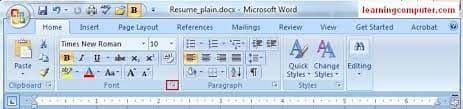
The Font Tool Panel allows you to change or modify the text characters in a specific style and size.
The Insert Tool Panel contains commands that let you add different objects, like tables or pictures, to your document.
The paragraph Tool Panel controls all aspects of a document's paragraph formatting.
The Clipboard Tool Panel contains commands pertaining to the clipboard, like temporarily holding pictures or texts that you decide to pick from any location and then copying or transferring them to another.
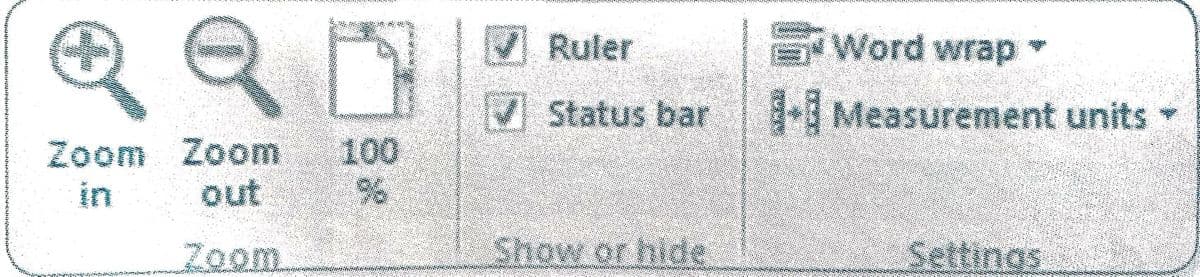
The Settings Panel allows you to set word wrapping options.
The Zoom Tool Panel controls all aspects of how you can view the WordPad document.
The Show or Hide Panel lets you add or remove the ruler or status bar.
What does the dropdown menu do?

What does this tool symbol do?

What is the purpose of this tool symbol?

What does this tool symbol do?

II. Identify what is being described. Arrange the scrambled letters to get the correct answer.
It displays the name of the WordPad program and the name of the document.
It is usually a blinking line that shows where an action will be made using the keyboard
It allows the user to set margins and tab stops.
A horizontal bar that shows the WordPad program's pull-down menus.
It shows buttons or icons of commonly used commands of the chosen menu.
It controls all aspects of how you can view the WordPad document.
It contains commands that let you add different objects, like tables or pictures, to your document.
It allows you to set word wrapping options.
It allows you to change or modify the text characters in a specific style and size.
It displays the commands that you need to change view setting for your document.
III. True or False.
WordPad is used to create or edit text files that contains formatting or graphics.
When you open the WordPad application, a new blank document will appear on the screen.
There are four main menu buttons in the menu bar.
WordPad contains more command buttons unlike Notepad.
A font is a set of text characters in a specific style and size.
There are two ways to format the text you typed.
There are a lot of factors that could make your computer shut down at any moment.
It is not a good idea to save your files from time to time.
When you save, you couldn't go back to your work.
A file is created on the computer, whenever you save a document.
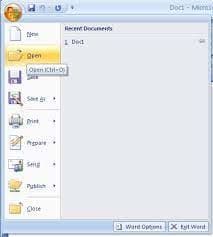
There are three ways in opening a WordPad document.
You don't need a printer to print a document.
Printing lets you have a hardcopy of your document.
Print will let you set printing options before the actual printing.
Quick print will send your file directly to the printer right away.
Print preview will let you see what your document would look like when it is printed.
WordPad is a word processing application.
There are many different kinds of word processors.
The title bar and the menu bar are some of the parts of WordPad.
Saving a document lets you delete that document from your computer.