Loading...


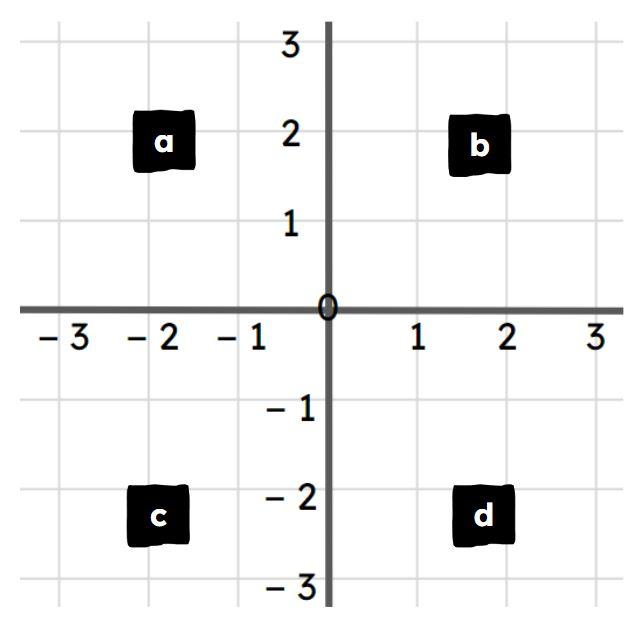
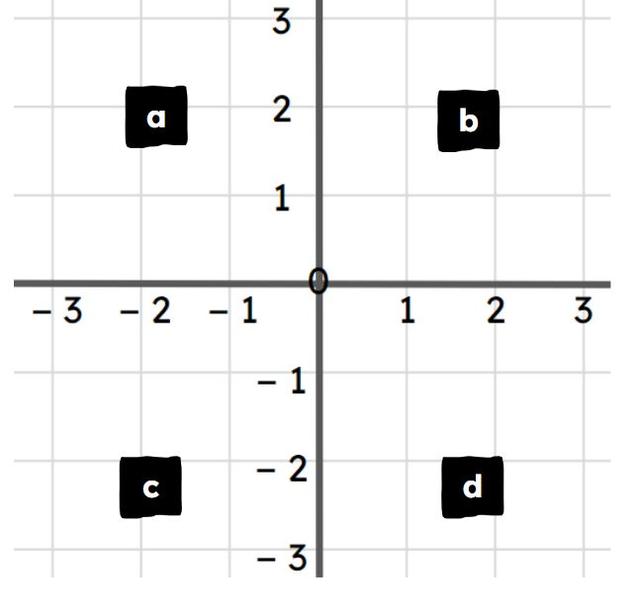
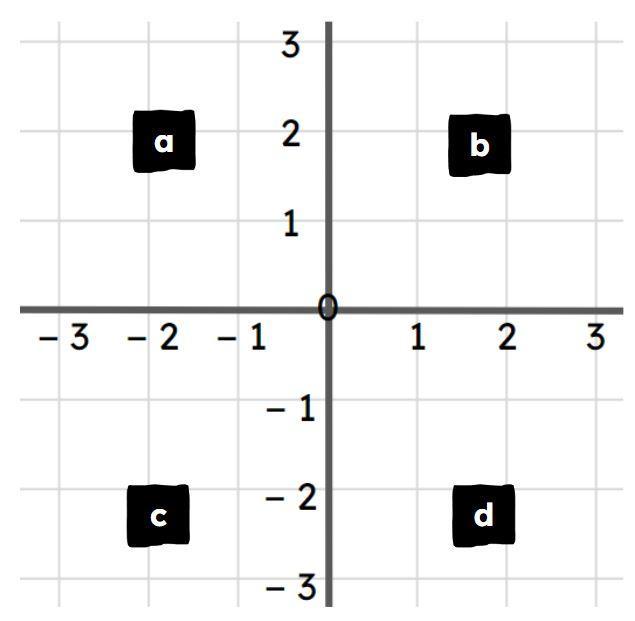
Draw and complete simple shapes by plotting positions on the full coordinate grid
Customize this quiz to suit your class
Instantly translate to 100+ languages
Tag the questions with any skills you have. Your dashboard will track each student's mastery of each skill.
Give this quiz to my class


 Align Panel: This panel allows you to align one or more objects the the artboard or other objects. Alignment: Formatting the appearance of text with the margins of the text box. Anchor Point Tool: Allows you to add or remove handles to create a curve on an anchor point. Anchor Points: A point on a path indicates a change of direction. Appearance Panel: This panel shows you the fill, strokes, graphic styles, and effects that have been applied to an object, group or layer and are able to modify theses from this panel directly. Area Type Tool: This occurs when using the type tool and you click and drag a text box, the text will automatically wrap inside the box. Blend Tool: This tool allows you to combine shapes/colors between two or more objects to create a new object between the original, blending the colors and shapes by inserting the middle steps to get from one object to the next. Blob Brush Tool: This tool is used to create free-form objects that can have a more hand-drawn feel. Brushes: Allows you to set the appearance/style of a path, can be applied to existing paths or used to create new paths. Clipping Masks: This command allows you to mask objects to a shape so that only areas that lie within the shape are visible, the mask and objects that are masked are called a clipping set. Closed Path: A path that has the same beginning and ending point. It forms a complete shape that can be filled with color or text. Create Outlines: This command converts text to closed paths and can be found in the Type Menu. Curvature Pen Tool: Allows you to simply create paths with curved anchor points. Curves: Can be applied to an anchor point using handles to create an arched line. Direct Select Tool: Allows you to select individual points of any path. Effects: These can be added to objects to create quick dynamic characteristics. Eraser Tool: This tool allows you to remove anchor points and cut through paths. Expand Objects: This allows you to divide a single object into multiple objects that make up its appearance. Eyedropper Tool: This tool allows you to sample the color or text from an existing part of the artwork. Global Swatches: This is a color swatches that will be automatically updated throughout your artwork when you change them, indicated with a white triangle in the corner of the swatch. Graphic Styles: A set of reusable appearance attributes that allow you to quickly change the look of an object. Grouping: This command allows you to link objects together so that they can be moved, scaled, rotator, or copy. Groups can be nested inside other groups. Hierarchy: To create visual order in design, controlling what the viewer looks at in order using size, color, contrast, etc… Image Trace: This command allows you to convert a raster image into a vector artwork. Isolation Mode: This mode allows you to adjust single objects/groups inside a group without ungrouping the group. Join Tool: This tool joins paths and anchor points together quickly. Kerning: This is the adjustment of the space between two individual letters. Knife Tool: This tool allows you to split an object into 2 pieces along a freehand path you draw. Leading: This is the adjustment of the space between lines of text. Live Corners: This widget appears when using the Direct Select tool and a corner is selected, when used this will create a rounded corner. Live Paint: This command allows you to quickly apply colors to objects in a complex design. Open Path: A path that does not end, not connected back to the original anchor point. Overflow Text: This occurs when the text box is too small to house all the text and is indicated by a small red plus sign in the bottom right corner of the text box. Paintbrush Tool: This tool is used to create free-form paths that can have a more hand-drawn feel. Paragraph Spacing: The space that occurs between lines of text. Pathfinder Panel: This panel allows you to create complex shapes by selecting 2 or more objects and using the buttons in the panel to cut, combine, or divide the objects. Paths: These are created when 2 or more points are connected, these are created using the pen tool. Pen Tool: It allows you to create and edit anchor points and paths. Pencil Tool: This tool is used to create free-form shapes or lines, the accuracy of the lines can be adjusted. Perspective Tool: This tool allows you to place elements on a perspective grid to adjust objects on a different perspective, automatically snapping to the perspective grid. Placeholder Text: Text that is placed in a text box that "holds a place" in a design to allow for creating a layout or adjust the text design. Point Type Tool: This occurs when when using the type tool and you click once, the text will continue without wrapping. Readability: The characteristics of fonts and styles that make test easy to identify and read. Scale, Shear, Distort Objects: This set of commands allows you to adjust the size and perspective of objects. Scissors Tool: This tool allows you to split a path into 2 pieces. Selection Tool: Allows you to select paths, objects or groups by click or dragging over them. Shape Builder Tool: This interactive tool allows you to create complex shapes by merging and erasing simpler objects. Shapes Tools: A group of tools to create basic shapes without using the pen tool (rectangle, ellipse, polygon, star, etc…). Smooth Tool: This tool will smooth a complex path and reduce the number of anchor points. Swatches: This is a saved color that can be applied in a design via the swatches panel and can be grouped, these can include gradients and patterns. Text Wrapping: This is when the text in a text box automatically wraps to the next line when it reaches the edge of the box. Threading Text: This is the ability to create 2 or more text boxes that are linked, when text is added/adjusted in one box, it will affect the other(s). Touch Type Tool: This tool allows you to adjust individual letter in a previously created text box. Tracking: This is the adjustment of the overall spacing between letters. Transform Objects: This allows you to change the size of objects. Type on a Path Tool: This tool allows you to add text along any previously created path. Type Tool: This tool allows you to create text in a design. View Modes: Ability to view projects and adjust the display on the screen. Modes include Outlines, Presentation, & Full Screen.New Trends in Agriculture Extension approaches Extension has been, and still is, under attack from a wide spectrum of politicians and economists over its cost and financing. As a result, Extension Systems have had to make changes, by restating the system’s mission, developing a new vision for the future, and formulating plans for the necessary transition to achieve the desired change. 1. Privatization of Agricultural Extension Service Privatization: Process of funding and delivering the extension services by private individual or organization is called Private Extension. Concept: Privatization of extension refers to services rendered in rural area & allied aspects of extension personnel working in private agencies or organization for which farmers are expected to pay a fee & it can be viewed as supplementary or alternative to public extension services (Sarvanan & Shivalinge 1980). Privatization approaches ➢ Share cropping system ➢ Village extension contract system ➢ Public extension through private delivery ➢ Service for vouchers Strengths of Private Extension System ➢ More demand - driven rather than supply – driven ➢ High quality of services in terms of satisfying information needs of clientele, trained manpower, sustained finances and resource allocation ➢ Provides for an information mix and choices available to farmers ➢ Enhanced efficiency of staff ➢ Assure continuous supply and quality agricultural products ➢ More effective because farmer can select an adviser who is the best able to help ➢ Healthy competition among service provider will lead to better quality and lower costs for service Weakness of Private Extension System ➢ Concentrate on area having favorable physical environment ➢ More face-to-face contacts (person oriented) ➢ Increased dependence of farmers and hence exploitation ➢ No education role ➢ Deprivation of small farmers ➢ Hamper the free flow of information 2. Cyber Extension or e-extension Concepts Cyber space: it is the imaginary or virtual space of computers connected with each other on Networks, across the Globe. Cyber extension: it means 'using the power of online networks, computer communications and digital interactive multimedia to facilitate dissemination of agriculture technology. Cyber Extension thus can be defined as the extension over cyber space. Important tools of cyber extension E-Mail, Telnet, File Transfer Protocol (FTP), Gopher, Archie and World Wide Web (WWW) Strengths of Cyber Extension ➢ Access to the astounding information and continuously available ➢ Information rich and instantaneously available of information ➢ Interactive communication ➢ The information is available from any point on the globe ➢ Communication is dynamic ➢ Cut steps from traditional process ➢ Save money, time and effort ➢ Multiplicity of purpose Issues and Concerns of Cyber Extension ➢ Lack of Reliable Telecom Infrastructure in Rural Areas ➢ Erratic or no Power Supply ➢ Lack of ICT Trained manpower (willing to serve) in Rural Areas ➢ Lack of content (locally relevant and in local languages) ➢ Lack of Information Services to Rural Clientele ➢ Low Purchasing power of the Rural communities ➢ Lack of Holistic Approaches ➢ Issues of Sustainability Application of cyber extension ➢ Village information shops Dr. M.S. SwaminathanResearch Foundation, Chennai ➢ Information villagers MANAGE in Ranga Reddy District in Andhra pradesh ➢ Gyandoot net initiative of District Dhar, Madhya Pradesh. ➢ Warna wired village of National Informatics Center (NIC) in Kolhapur- Sangli Districts of Maharashtra 3. Market-Led-Extension (MLE) Concepts Market: A congregation of prospective buyers & sellers with a common motive of trading a particular commodity. Extension: It is the spreading/reaching out to the mass Market-led-extension: Agriculture & economics coupled with extension is the perfect blend for reaching at the door steps of common man with the help of technology. Dimensions of market-led extension ➢ Marketing mix: A planned mix of the controllable elements of a product's marketing plan commonly termed as 4Ps: product, price, place, and promotion. These four elements are adjusted until the right combination is found that serves the needs of the product's customers, while generating optimum income. ➢ Marketing plan: A marketing plan is a comprehensive document that outlines a business and marketing efforts for the coming year. It describes business activities involved in accomplishing specific marketing objectives within a set time frame. A marketing plan also includes a description of the current marketing position of a business, a discussion of the target market and a description of the marketing mix that a business will use to achieve their marketing goals. ➢ Market Intelligence: It is the information relevant to a company’s markets, gathered and analyzed specifically for the purpose of accurate and confident decision making. Market intelligence includes the process of gathering data from the company’s external environment, whereas the business intelligence process is primarily based on internal recorded events – such as sales, shipments and purchases. ➢ Market oriented production ➢ Use of Technology Strengths of market-led extension ➢ SWOT analysis of the market ➢ Organization of Farmers’ Interest Groups (FIGs) ➢ Enhancing the interactive and communication skills of the farmers ➢ Establishing marketing and agro-processing linkages ➢ Advice on product planning ➢ Educating the farming community ➢ Direct marketing ➢ Acquiring complete market intelligence ➢ Publication of agricultural market information Production of video films of success stories ➢ Challenges to market-led extension ➢ Gigantic size of extension system ➢ Information technology Diverse conditions ➢ Market intelligence ➢ Reforms in agricultural extension system Government Initiatives ➢ Central warehousing Corporation-1965 ➢ MSP by Commission for Agricultural Cost and Price (CACP) ➢ Food Corporation of India ➢ Then some others as: Cotton Corporation of India (CCI), Jute Corporation of India (JCI), National Dairy Development Board (NDDB), Agriculture and Processed food Export Development Authority (APEDA) etc. 4. Farmer--Led-Extension (FLE) Farmer--led-extension is defined as 'the provision of training by farmers to farmers, often through the creation of a structure of farmer promoters and farmer trainers' (Scarborough et al., 1997). Philosophy and principles ➢ Farmers and local institutions (e.g. producer organizations or village leaders) should play a key role in selecting farmer-trainers and monitoring and evaluating them. This helps make the programmes more accountable to the community or groups that they serve. ➢ Farmer-trainers are ‘of the community’; they communicate in local languages and are more sensitive to local cultures, mannerisms, farming practices, and farmers’ needs. ➢ Farmer-trainers should be selected on the basis of their skills and interest in sharing information, not just on their farming expertise. ➢ Farmer-trainers need strong linkages with and support from development agents (whether government, non-government organization (NGO), or private), the people who train and backstop them. Farmer-trainers generally serve as a complement to existing extension systems, rather than being a substitute for them. ➢ Facilitating organizations and local institutions need to be proactive in ensuring that women as well as men become farmer-trainers. ➢ Simple and appropriate reference materials should be made available to the farmer trainers. Essential Elements of Farmer--led-extension ➢ The group ➢ The Field ➢ The Facilitator ➢ The curriculum ➢ Programme leader ➢ Financing Special features of Farmer--led-extension ➢ All learning is field based & it is primary venue for learning ➢ FLE group learning constantly over the experimentation period ➢ FLE promotes healthy decisions & quality decisions ➢ Farmers conduct their own field studies with comparisons or treatments ➢ Facilitates Farmer-to-Farmer communication ➢ Field staff serve as facilitators ➢ FLE is a unique way to educate farmers ➢ It is an effective platform for sharing of experiences and collectively solving agriculture related problems. 5. Expert system Expert system is an intelligent computer program that uses knowledge and inferences procedures to solve problems (Daniel Hunt, 1986). Objectives of developing expert system ➢ To enhance the performance of agricultural extension personnel and farmer ➢ To make farming more efficient and profitable ➢ To reduce the time required in solving the problems ➢ To maintain the expert system by continuously upgrading the database Advantages of expert system ➢ Solves critical problems by making logical deductions without taking much time ➢ It combines experimental and conventional knowledge with the reasoning skills of specialists ➢ To enhance the performance of average worker to the level of an expert Limitations of expert system ➢ Expensive computer program ➢ Mostly developed not in regional languages ➢ Requires AC power and internet connection all the time ➢ Complex software requires computer skilled personnel Modules of expert system in agriculture ➢ COMAX: Integrated crop management in cotton ➢ SOYEX: Soybean oil extraction expert system ➢ PLANT/ds: Diagnosis of soybean diseases ➢ MAIZE: Maize expert system for field crop management ➢ SEMAGI: Weed control decision making in sunflowers ➢ Rice Crop Doctor: Developed by National Institute of Agricultural Extension Management (MANAGE) Difference between conventional and expert system of extension Conventional Extension ➢ Universal approachability of same information is a problem ➢ Information is given whatever is available without considering needs and resources ➢ No Cost benefit analysis ➢ Information flow depends on availability of agent ➢ Require users to draw their own conclusion from facts Expert System of Extension ➢ Universal approachability of same information is possible ➢ Information is chosen based on their needs and resources ➢ Cost benefit analysis ➢ Information through Cyber Cafe at any place at any time ➢ Conclusion is drawn based on the decision given by the expert Section 1: Numbers, Operations, and Relationships (15 marks) 1. Number Concepts (5 marks) 1.1. Decompose the following numbers into tens and ones: (2 marks) a. 34 b. 67 1.2. Count the objects in the pictures below and write the total number: (3 marks) [This section would need images of objects. You can provide images of groups of objects, e.g., 3 groups of 4 apples each and ask the students to count the total number.] 2. Solve Problems (5 marks) 2.1. Solve the following word problem using drawings: (3 marks) Samantha has 5 baskets. Each basket has 8 apples. How many apples does she have in total? Samantha has 5 × 8 = 40 5×8=40 apples. 2.2. Solve the following word problem by building up and breaking down numbers: (2 marks) There are 4 boxes. Each box has 6 chocolates. How many chocolates are there in total? There are 4 × 6 = 24 4×6=24 chocolates in total. 3. Calculations (5 marks) 3.1. Multiply the following numbers using drawings: (3 marks) a. 5 × 4 = 20 b. 4 × 5 = 20 3.2. Use a number line to solve: (2 marks) a. 3 × 5 = 15 b. 2 × 4 = 8 Section 2: Patterns, Functions, and Algebra (10 marks) 4. Number Patterns (10 marks) 4.1. Complete the number sequences: (5 marks) a. 180, 170, 160, 150, 140, 130, 120, 110, 100, 90 b. 150, 152, 154, 156, 158, 160, 162, 164, 166, 168 4.2. Count in twos and fill in the missing numbers: (5 marks) a. 102, 104, 106, 108, 110, 112, 114, 116 Section 3: Space and Shape (Geometry) (10 marks) 5. Position (10 marks) 5.1. Follow the directions to move around the classroom: (5 marks) Draw a path showing how you would move from your desk to the teacher's table by following these steps: Move 3 steps forward. Turn left and move 2 steps. Turn right and move 4 steps. [Students would draw a path based on these directions.] 5.2. Use the language of position to describe the following: (5 marks) a. The pencil is on the book. b. The chair is beside the desk. c. The bag is under the table. d. The ruler is next to the notebook. e. The eraser is inside the pencil case.Phrasal Verb Quiz Instructions: Choose the best meaning for the bold phrasal verb in each sentence. She looked up a word in the dictionary. A) To stare at something B) To find information in a book or online C) To write a new word She looked up at the sky. A) To raise your eyes to see something above B) To search for a specific star C) To feel happy He always tries to get out of doing his chores. A) To leave the house B) To finish work quickly C) To avoid doing something you don't want to do Why didn’t you call me back last night? A) To shout at someone B) To return a phone call C) To remember a name She was bored at the party, so she took off. A) To start dancing B) To leave suddenly C) To remove her coat I can’t figure out the answer to this question. A) To understand or solve something B) To draw a picture C) To forget a fact I am free on Sunday. Do you want to come over? A) To go to a store B) To visit someone’s house C) To call someone on the phone He had to make up a story about a dragon and a princess. A) To read a book aloud B) To invent or create a story C) To fix a mistake After three years in college, she suddenly dropped out. A) To graduate with honors B) To stop attending school before finishing C) To fall down the stairs My manager handed out the reports during the meeting. A) To give something to many people in a group B) To throw something away C) To write a report by hand I had to fill out a form. A) To complete a document by writing information B) To make something bigger C) To throw a paper in the trash I ran into some old friends yesterday. A) To race against someone B) To meet someone by chance (unexpectedly) C) To call someone on purpose We will pick up our parents from the airport tonight. A) To lift something heavy B) To collect someone in a car C) To say goodbye When are you going to give up smoking? A) To start a new habit B) To stop doing something C) To buy something expensive My teacher crossed out my mistakes with a red pen. A) To draw a line through something B) To highlight something important C) To give a good grade I should go over my notes before my presentation. A) To lose your papers B) To review or check something carefully C) To write new notesTHE FIDE LAWS OF CHESS. Introduction FIDE Laws of Chess cover over-the-board play. The Laws of Chess have two parts: 1. Basic Rules of Play and 2. Competitive Rules of Play. The English text is the authentic version of the Laws of Chess (which were adopted at the 93rd FIDE Congress at Chennai, India) coming into force on 1 January 2023. Preface. The Laws of Chess cannot cover all possible situations that may arise during a game, nor can they regulate all administrative questions. Where cases are not precisely regulated by an Article of the Laws, it should be possible to reach a correct decision by studying analogous situations which are regulated in the Laws. The Laws assume that arbiters have the necessary competence, sound judgement and absolute objectivity. Too detailed a rule might deprive the arbiter of his/her freedom of judgement and thus prevent him/her from finding a solution to a problem dictated by fairness, logic and special factors. FIDE appeals to all chess players and federations to accept this view. A necessary condition for a game to be rated by FIDE is that it shall be played according to the FIDE Laws of Chess. It is recommended that competitive games not rated by FIDE be played according to the FIDE Laws of Chess. Member federations may ask FIDE to give a ruling on matters relating to the Laws of Chess. BASIC RULES OF PLAY. Article 1: The Nature and Objectives of the Game of Chess 1.1 1.2 1.3 1.4 The game of chess is played between two opponents who move their pieces on a square board called a ‘chessboard’. The player with the light-coloured pieces (White) makes the first move, then the players move alternately, with the player with the dark-coloured pieces (Black) making the next move. A player is said to ‘have the move’ when his/her opponent’s move has been ‘made’. The objective of each player is to place the opponent’s king ‘under attack’ in such a way that the opponent has no legal move. 1.4.1 The player who achieves this goal is said to have ‘checkmated’ the opponent’s king and to have won the game. Leaving one’s own king under attack, exposing one’s own king to attack and also ’capturing’ the opponent’s king is not allowed. 1.4.2 The opponent whose king has been checkmated has lost the game. 1.5 If the position is such that neither player can possibly checkmate the opponent’s king, the game is drawn (see Article 5.2.2). Article 2: The Initial Position of the Pieces on the Chessboard 2.1 2.2 The chessboard is composed of an 8 x 8 grid of 64 equal squares alternately light (the ‘white’ squares) and dark (the ‘black’ squares). The chessboard is placed between the players in such a way that the near corner square to the right of the player is white. At the beginning of the game White has 16 light-coloured pieces (the ‘white’ pieces); Black has 16 dark-coloured pieces (the ‘black’ pieces). These pieces are as follows: A white king usually indicated by the symbol K A white queen Two white rooks Two white bishops Two white knights Eight white pawns A black king A black queen Two black rooks Two black bishops Two black knights Eight black pawns usually indicated by the symbol Q usually indicated by the symbol R usually indicated by the symbol B usually indicated by the symbol N usually indicated by the symbol usually indicated by the symbol K usually indicated by the symbol Q usually indicated by the symbol R usually indicated by the symbol B usually indicated by the symbol N usually indicated by the symbol Staunton Pieces p Q K B N R 9 2.3 The initial position of the pieces on the chessboard is as follows: 2.4 The eight vertical columns of squares are called ‘files’. The eight horizontal rows of squares are called ‘ranks’. A straight line of squares of the same colour, running from one edge of the board to an adjacent edge, is called a ‘diagonal’. Article 3: The Moves of the Pieces 3.1 It is not permitted to move a piece to a square occupied by a piece of the same colour. 3.1.1 If a piece moves to a square occupied by an opponent’s piece the latter is captured and removed from the chessboard as part of the same move. 3.1.2 A piece is said to attack an opponent’s piece if the piece could make a capture on that square according to Articles 3.2 to 3.8. 3.1.3 A piece is considered to attack a square even if this piece is constrained from moving to that square because it would then leave or place the king of its own colour under attack. 3.2 The bishop may move to any square along a diagonal on which it stands. 3.3 The rook may move to any square along the file or the rank on which it stands. 3.4 The queen may move to any square along the file, the rank or a diagonal on which it stands. 3.5 3.6 3.7 When making these moves, the bishop, rook or queen may not move over any intervening pieces. The knight may move to one of the squares nearest to that on which it stands but not on the same rank, file or diagonal. 3.7 When making these moves, the bishop, rook or queen may not move over any intervening pieces. The knight may move to one of the squares nearest to that on which it stands but not on the same rank, file or diagonal. The pawn: 3.7.1 The pawn may move forward to the square immediately in front of it on the same file, provided that this square is unoccupied, or 3.7.2 on its first move the pawn may move as in 3.7.1 or alternatively it may advance two squares along the same file, provided that both squares are unoccupied, or 3.7.3 the pawn may move to a square occupied by an opponent’s piece diagonally in front of it on an adjacent file, capturing that piece. 3.7.3.1 A pawn occupying a square on the same rank as and on an adjacent file to an opponent’s pawn which has just advanced two squares in one move from its original square may capture this opponent’s pawn as though the latter had been moved only one square. 3.7.3.2 This capture is only legal on the move following this advance and is called an ‘en passant’ capture. 3.7.3.3 When a player, having the move, plays a pawn to the rank furthest from its starting position, he/she must exchange that pawn as part of the same move for a new queen, rook, bishop or knight of the same colour on the intended square of arrival. This is called the square of ‘promotion’. 3.7.3.4 The player's choice is not restricted to pieces that have been captured previously. 3.7.3.5 This exchange of a pawn for another piece is called promotion, and the effect of the new piece is immediate. 3.8 There are two different ways of moving the king: 3.8.1 by moving to an adjoining square. 3.8.2 by ‘castling’. This is a move of the king and either rook of the same colour along the player’s first rank, counting as a single move of the king and executed as follows: the king is transferred from its original square two squares towards the rook on its original square, then that rook is transferred to the square the king has just crossed. 3.8.2.1 The right to castle has been lost: 3.8.2.1.1 If the king has already moved, or 3.8.2.1.2 With a rook that has already moved. 3.8.2.2 Castling is prevented temporarily: 3.8.2.2.1 if the square on which the king stands, or the square which it must cross, or the square which it is to occupy, is attacked by one or more of the opponent's pieces, or 3.8.2.2.2 if there is any piece between the king and the rook with which castling is to be effected. 3.9 The king in check: 3.9.1 The king is said to be 'in check' if it is attacked by one or more of the opponent's pieces, even if such pieces are constrained from moving to the square occupied by the king because they would then leave or place their own king in check. 3.9.2 No piece can be moved that will either expose the king of the same colour to check or leave that king in check. 3.10 Legal and illegal moves; illegal positions: 3.10.1 A move is legal when all the relevant requirements of Articles 3.1 – 3.9 have been fulfilled. 3.10.2 A move is illegal when it fails to meet the relevant requirements of Articles 3.1 –3.9. 3.10.3 A position is illegal when it cannot have been reached by any series of legal moves. Article 4: The Act of Moving the Pieces 4.1 4.2 Each move must be played with one hand only. Adjusting the pieces or other physical contact with a piece: 4.2.1 Only the player having the move may adjust one or more pieces on their squares, provided that he/she first expresses his/her intention (for example by saying “j’adoube” or “I adjust”). 4.2.2 Any other physical contact with a piece, except for clearly accidental contact, shall be considered to be intent. 4.3 Except as provided in Article 4.2.1, if the player having the move touches on the chessboard, with the intention of moving or capturing: 4.3.1 one or more of his/her own pieces, he/she must move the first piece touched that can be moved. 4.3.2 one or more of his/her opponent’s pieces, he/she must capture the first piece touched that can be captured. 4.3.3 one or more pieces of each colour, he/she must capture the first touched opponent’s piece with his/her first touched piece or, if this is illegal, move or capture the first piece touched that can be moved or captured. If it is unclear whether the player’s own piece or his/her opponent’s was touched first, the player’s own piece shall be considered to have been touched before his/her opponent’s. 4.4 If a player having the move: 4.4.1 touches his/her king and a rook he/she must castle on that side if it is legal to do so 4.4.2 deliberately touches a rook and then his/her king he/she is not allowed to castle on that side on that move and the situation shall be governed by Article 4.3.1. 4.4.3 intending to castle, touches the king and then a rook, but castling with this rook is illegal, the player must make another legal move with his/her king (which may include castling with the other rook). If the king has no legal move, the player is free to make any legal move. 4.4.4 promotes a pawn, the choice of the piece is finalised when the piece has touched the square of promotion. 4.5 4.6 If none of the pieces touched in accordance with Article 4.3 or Article 4.4 can be moved or captured, the player may make any legal move. The act of promotion may be performed in various ways: 4.6.1 the pawn does not have to be placed on the square of arrival. 4.6.2 removing the pawn and putting the new piece on the square of promotion may occur in any order. 4.6.3 If an opponent’s piece stands on the square of promotion, it must be captured. 4.7 When, as a legal move or part of a legal move, a piece has been released on a square, it cannot be moved to another square on this move. The move is considered to have been made in the case of: 4.7.1 A capture, when the captured piece has been removed from the chessboard and the player, having placed his/her own piece on its new square, has released this capturing piece from his/her hand. 4.7.2 Castling, when the player's hand has released the rook on the square previously crossed by the king. When the player has released the king from his/her hand, the move is not yet made, but the player no longer has the right to make any move other than castling on that side, if this is legal. If castling on this side is illegal, the player must make another legal move with his/her king (which may include castling with the other rook). If the king has no legal move, the player is free to make any legal move. 4.7.3 Promotion, when the player's hand has released the new piece on the square of promotion and the pawn has been removed from the board. 4.8 4.9 A player forfeits his/her right to claim against his/her opponent’s violation of Articles 4.1 – 4.7 once the player touches a piece with the intention of moving or capturing it. 4.8. A player forfeits his/her right to claim against his/her opponent’s violation of Articles 4.1 – 4.7 .4.9. If a player is unable to move the pieces, an assistant, who shall be acceptable to the arbiter, may be provided by the player to perform this operation. Article 5: The Completion of the Game 5.1.1 The game is won by the player who has checkmated his/her opponent’s king. This immediately ends the game, provided that the move producing the checkmate position was in accordance with Article 3 and Articles 4.2 – 4.7. 5.1.2 The game is lost by the player who declares he/she resigns (this immediately ends the game), unless the position is such that the opponent cannot checkmate the player’s king by any possible series of legal moves. In this case the result of the game is a draw. 5.2.1 The game is drawn when the player to move has no legal move and his/her king is not in check. The game is said to end in ‘stalemate’. This immediately ends the game, provided that the move producing the stalemate position was in accordance with Article 3 and Articles 4.2 – 4.7. 5.2.2 The game is drawn when a position has arisen in which neither player can checkmate the opponent’s king with any series of legal moves. The game is said to end in a ‘dead position’. This immediately ends the game, provided that the move producing the position was in accordance with Article 3 and Articles 4.2 – 4.7. 5.2.3 The game is drawn upon agreement between the two players during the game, provided both players have made at least one move. This immediately ends the game. COMPETITIVE RULES OF PLAY Article 6: The Chessclock 6.1 ‘Chessclock’ means a clock with two time displays, connected to each other in such a way that only one of them can run at a time. ‘Clock’ in the Laws of Chess means one of the two time displays. Each time display has a ‘flag’. ‘Flag-fall’ means the expiration of the allotted time for a player. 6.2 Handling the chessclock: 6.2.1 During the game each player, having made his/her move on the chessboard, shall pause his/her own clock and start his/her opponent’s clock (that is to say, he/she shall press his/her clock). This “completes” the move. A move is also completed if: 6.2.1.1 6.2.1.2 the move ends the game (see Articles 5.1.1, 5.2.1, 5.2.2, 9.2.1, 9.6.1 and 9.6.2), or the player has made his/her next move, when his/her previous move was not completed. 6.2.2 A player must be allowed to pause his/her clock after making his/her move, even after the opponent has made his/her next move. The time between making the move on the chessboard and pressing the clock is regarded as part of the time allotted to the player. 6.2.3 A player must press his/her clock with the same hand with which he/she made his/her move. It is forbidden for a player to keep his/her finger on the clock or to ‘hover’ over it. 6.2.4 The players must handle the chessclock properly. It is forbidden to press it forcibly, to pick it up, to press the clock before moving or to knock it over. Improper clock handling shall be penalised in accordance with Article 12.9. 6.2.5 6.2.6 Only the player whose clock is running is allowed to adjust the pieces. If a player is unable to use the clock, an assistant, who must be acceptable to the arbiter, may be provided by the player to perform this operation. His/Her clock shall be adjusted by the arbiter in an equitable way. This adjustment of the clock shall not apply to the clock of a player with a disability. 6.3 Allotted time: 6.3.1 When using a chessclock, each player must complete a minimum number of moves or all moves in an allotted period of time including any additional amount of time added with each move. All these must be specified in advance. 6.3.2 The time saved by a player during one period is added to his/her time available for the next period, where applicable. In the time-delay mode both players receive an allotted ‘main thinking time’. Each player also receives a ‘fixed extra time’ with every move. The countdown of the main thinking time only commences after the fixed extra time has expired. Provided the player presses his/her clock before the expiration of the fixed extra time, the main thinking time does not change, irrespective of the proportion of the fixed extra time used. 6.4 Immediately after a flag falls, the requirements of Article 6.3.1 must be checked. 6.5 Before the start of the game the arbiter shall decide where the chessclock is placed. 6.6 At the time determined for the start of the game White’s clock is started.6.7. Default time: 6.7.1 The regulations of an event shall specify a default time in advance. If the default time is not specified, then it is zero. Any player who arrives at the chessboard after the default time shall lose the game unless the arbiter decides otherwise. 6.7.2 If the regulations of an event specify that the default time is not zero and if neither player is present initially, White shall lose all the time that elapses until he/she arrives, unless the regulations of an event specify, or the arbiter decides otherwise. 6.8 A flag is considered to have fallen when the arbiter observes the fact or when either player has made a valid claim to that effect. 6.9 Except where one of Articles 5.1.1, 5.1.2, 5.2.1, 5.2.2, 5.2.3 applies, if a player does not complete the prescribed number of moves in the allotted time, the game is lost by that player. However, the game is drawn if the position is such that the opponent cannot checkmate the player’s king by any possible series of legal moves. 6.10 Chessclock setting: 6.10.1 Every indication given by the chessclock is considered to be conclusive in the absence of any evident defect. A chessclock with an evident defect shall be replaced by the arbiter, who shall use his/her best judgement when determining the times to be shown on the replacement chessclock. 6.10.2 If during a game it is found that the setting of either or both clocks is incorrect, either player or the arbiter shall pause the chessclock immediately. The arbiter shall install the correct setting and adjust the times and move-counter, if necessary he/she shall use his/her best judgement when determining the clock settings. 6.11.1 If the game needs to be interrupted, the arbiter shall pause the chessclock. 6.11.2 A player may pause the chessclock only in order to seek the arbiter’s assistance, for example when promotion has taken place and the piece required is not available. 6.11.3 The arbiter shall decide when the game restarts. 6.11.4 If a player pauses the chessclock in order to seek the arbiter’s assistance, the arbiter shall determine whether the player had any valid reason for doing so. If the player has no valid reason for pausing the chessclock, the player shall be penalised in accordance with Article 12.9. 6.12.1 Screens, monitors, or demonstration boards showing the current position on the chessboard, the moves and the number of moves made/completed, and clocks which also show the number of moves, are allowed in the playing hall. 6.12.2 The player may not make a claim relying only on information shown in this manner.1. Flammable materials, like alcohol, should never be dispensed or used near A. an open door. B. an open flame. C. another student. D. a sink. 2. If a laboratory fire erupts, immediately A. notify your instructor. B. run for the fire extinguisher. C. throw water on the fire. D. open the windows. 3. Approved eye protection devices (such as goggles) are worn in the laboratory A. to avoid eye strain. B. to improve your vision. C. only if you don’t have corrective glasses. D. any time chemicals, heat or glassware are used. 4. If you wear contact lenses in the school laboratory, A. take them out before starting the lab. B. you do not have to wear protective goggles. C. advise your science instructor that you wear contact lenses. D. keep the information to yourself. 5. If you do not understand a direction or part of a lab procedure, you should A. figure it out as you do the lab. B. try several methods until something works. C. ask the instructor before proceeding. D. skip it and go on to the next part. 6. After completing an experiment, all chemical wastes should be A. left at your lab station for the next class. B. disposed of according to your instructor’s directions. C. dumped in the sink. D. taken home. 7. If a lab experiment is not completed, you should A. discuss the issue with your instructor. B. sneak in after school and work alone. C. come in during lunch and finish while eating lunch. D. make up some results. 8. You are heating a substance in a test tube. Always point the open end of the tube A. toward yourself. B. toward your lab partner. C. toward another classmate. D. away from all people. Science Laboratory Safety teSt 9. You are heating a piece of glass and now want to pick it up. You should A. use a rag or paper towels. B. pick up the end that looks cooler. C. use tongs. D. pour cold water on it. 10. You have been injured in the laboratory (cut, burn, etc.). First you should A. visit the school nurse after class. B. see a doctor after school. C. tell the science instructor at once. D. apply first aid yourself. 11. When gathering glassware and equipment for an experiment, you should A. read all directions carefully to know what equipment is necessary. B. examine all glassware to check for chips or cracks. C. clean any glassware that appears dirty. D. All of the above. 12. You want to place a piece of glass tubing into a rubber stopper after the tubing has been fire polished and cooled. This is best done by A. lubricating the tubing with water or glycerin. B. using a towel or cotton gloves for protection. C. twisting the tubing and stopper carefully. D. all of the above. 13. Personal eyeglasses provide as much protection as A. a face shield. B. safety glasses. C. splashproof chemical goggles. D. none of the above. 14. Long hair in the laboratory must be A. cut short. B. held away from the experiment with one hand. C. always neatly groomed. D. tied back or kept entirely out of the way with a hair band, hairpins, or other confining device. 15. In a laboratory, the following should not be worn. A. loose clothing. B. dangling jewelry. C. sandals. D. all of the above. 16. The following footwear is best in the laboratory. A. sandals B. open-toed shoes C. closed-toed shoes D. shoes appropriate for the weather3 © 2017 Flinn Scientific, Inc. All Rights Reserved. 17. Horseplay or practical jokes in the laboratory are A. always against the rules. B. okay. C. not dangerous. D. okay if you are working alone. 18. If a piece of equipment is not working properly, stop, turn it off, and tell A. the custodian. B. your lab partner. C. your best friend in the class. D. the science instructor. 19. If an acid is splashed on your skin, wash at once with A. soap. B. oil. C. weak base. D. plenty of water. 20. When you finish working with chemicals, biological specimens, and other lab substances, always A. treat your hands with skin lotion. B. wash your hands thoroughly with soap and water. C. wipe your hands on a towel. D. wipe your hands on your clothes. True—False T F 22. ■ ■ Hot glass looks the same as cold glass. 23. ■ ■ All chemicals in the lab are to be considered dangerous. 24. ■ ■ Return all unused chemicals to their original containers. 25. ■ ■ Work areas should be kept clean and tidy. 26. ■ ■ Pipets are used to measure and dispense small amounts of liquids. You should draw the liquid into the pipet using your mouth. 27. ■ ■ Laboratory work can be started immediately upon entering the laboratory even if the instructor is not yet present. 28. ■ ■ Never remove chemicals or other equipment from the laboratory. T F 29. ■ ■ Chipped or cracked glassware is okay to use. 30. ■ ■ Read all procedures thoroughly before entering the laboratory. 31. ■ ■ All unauthorized experiments are prohibited. 32. ■ ■ You are allowed to enter the chemical preparation/storage area any time you need to get an item. 33. ■ ■ Laboratory aprons should be worn during all lab activities. 34. ■ ■ It’s okay to pick up broken glass with your bare hands as long as the glass is placed in the trash. 35. ■ ■ Never leave a lit burner unattended. 21. Draw a diagram of your science room and label the locations of the following: ■ Fire Blanket ■ Fire Extinguisher(s) ■ Exits ■ Eyewash Station ■ Emergency Shower ■ Closest Fire Alarm Station ■ Waste Disposal Container(s)4 © 2017 Flinn Scientific, Inc. All Rights Reserved. Name: ________________________________________________ Date: ______________________________________________ 1. Flammable materials, like alcohol, should never be dispensed or used near A. an open door. B. an open flame. C. another student. D. a sink. 2. If a laboratory fire erupts, immediately A. notify your instructor. B. run for the fire extinguisher. C. throw water on the fire. D. open the windows. 3. Approved eye protection devices (such as goggles) are worn in the laboratory A. to avoid eye strain. B. to improve your vision. C. only if you don’t have corrective glasses. D. any time chemicals, heat or glassware are used. 4. If you wear contact lenses in the school laboratory, A. take them out before starting the lab. B. you do not have to wear protective goggles. C. advise your science instructor that you wear contact lenses. D. keep the information to yourself. 5. If you do not understand a direction or part of a lab procedure, you should A. figure it out as you do the lab. B. try several methods until something works. C. ask the instructor before proceeding. D. skip it and go on to the next part. 6. After completing an experiment, all chemical wastes should be A. left at your lab station for the next class. B. disposed of according to your instructor’s directions. C. dumped in the sink. D. taken home. 7. If a lab experiment is not completed, you should A. discuss the issue with your instructor. B. sneak in after school and work alone. C. come in during lunch and finish while eating lunch. D. make up some results. 8. You are heating a substance in a test tube. Always point the open end of the tube A. toward yourself. B. toward your lab partner. C. toward another classmate. D. away from all people. Science Laboratory Safety teSt 9. You are heating a piece of glass and now want to pick it up. You should A. use a rag or paper towels. B. pick up the end that looks cooler. C. use tongs. D. pour cold water on it. 10. You have been injured in the laboratory (cut, burn, etc.). First you should A. visit the school nurse after class. B. see a doctor after school. C. tell the science instructor at once. D. apply first aid yourself. 11. When gathering glassware and equipment for an experiment, you should A. read all directions carefully to know what equipment is necessary. B. examine all glassware to check for chips or cracks. C. clean any glassware that appears dirty. D. All of the above. 12. You want to place a piece of glass tubing into a rubber stopper after the tubing has been fire polished and cooled. This is best done by A. lubricating the tubing with water or glycerin. B. using a towel or cotton gloves for protection. C. twisting the tubing and stopper carefully. D. all of the above. 13. Personal eyeglasses provide as much protection as A. a face shield. B. safety glasses. C. splashproof chemical goggles. D. none of the above. 14. Long hair in the laboratory must be A. cut short. B. held away from the experiment with one hand. C. always neatly groomed. D. tied back or kept entirely out of the way with a hair band, hairpins, or other confining device. 15. In a laboratory, the following should not be worn. A. loose clothing. B. dangling jewelry. C. sandals. D. all of the above. 16. The following footwear is best in the laboratory. A. sandals B. open-toed shoes C. closed-toed shoes D. shoes appropriate for the weather5 © 2017 Flinn Scientific, Inc. All Rights Reserved. 17. Horseplay or practical jokes in the laboratory are A. always against the rules. B. okay. C. not dangerous. D. okay if you are working alone. 18. If a piece of equipment is not working properly, stop, turn it off, and tell A. the custodian. B. your lab partner. C. your best friend in the class. D. the science instructor. 19. If an acid is splashed on your skin, wash at once with A. soap. B. oil. C. weak base. D. plenty of water. 20. When you finish working with chemicals, biological specimens, and other lab substances, always A. treat your hands with skin lotion. B. wash your hands thoroughly with soap and water. C. wipe your hands on a towel. D. wipe your hands on your clothes. 21. Draw a diagram of your science room and label the locations of the following: ■ Fire Blanket ■ Fire Extinguisher(s) ■ Exits ■ Eyewash Station ■ Emergency Shower ■ Closest Fire Alarm Station ■ Waste Disposal Container(s) True—False T F 22. ■ ■ Hot glass looks the same as cold glass. 23. ■ ■ All chemicals in the lab are to be considered dangerous. 24. ■ ■ Return all unused chemicals to their original containers. 25. ■ ■ Work areas should be kept clean and tidy. 26. ■ ■ Pipets are used to measure and dispense small amounts of liquids. You should draw the liquid into the pipet using your mouth. 27. ■ ■ Laboratory work can be started immediately upon entering the laboratory even if the instructor is not yet present. 28. ■ ■ Never remove chemicals or other equipment from the laboratory. T F 29. ■ ■ Chipped or cracked glassware is okay to use. 30. ■ ■ Read all procedures thoroughly before entering the laboratory. 31. ■ ■ All unauthorized experiments are prohibited. 32. ■ ■ You are allowed to enter the chemical preparation/storage area any time you need to get an item. 33. ■ ■ Laboratory aprons should be worn during all lab activities. 34. ■ ■ It’s okay to pick up broken glass with your bare hands as long as the glass is placed in the trash. 35. ■ ■ Never leave a lit burner unattended.Draw and label a clock face talking about the hoursDraw and Learn!