


PowerPoint Essentials
Quiz by Valerie Kazee
Feel free to use or edit a copy
includes Teacher and Student dashboards
Measure skillsfrom any curriculum
Measure skills
from any curriculum
Tag the questions with any skills you have. Your dashboard will track each student's mastery of each skill.
With a free account, teachers can
- edit the questions
- save a copy for later
- start a class game
- automatically assign follow-up activities based on students’ scores
- assign as homework
- share a link with colleagues
- print as a bubble sheet
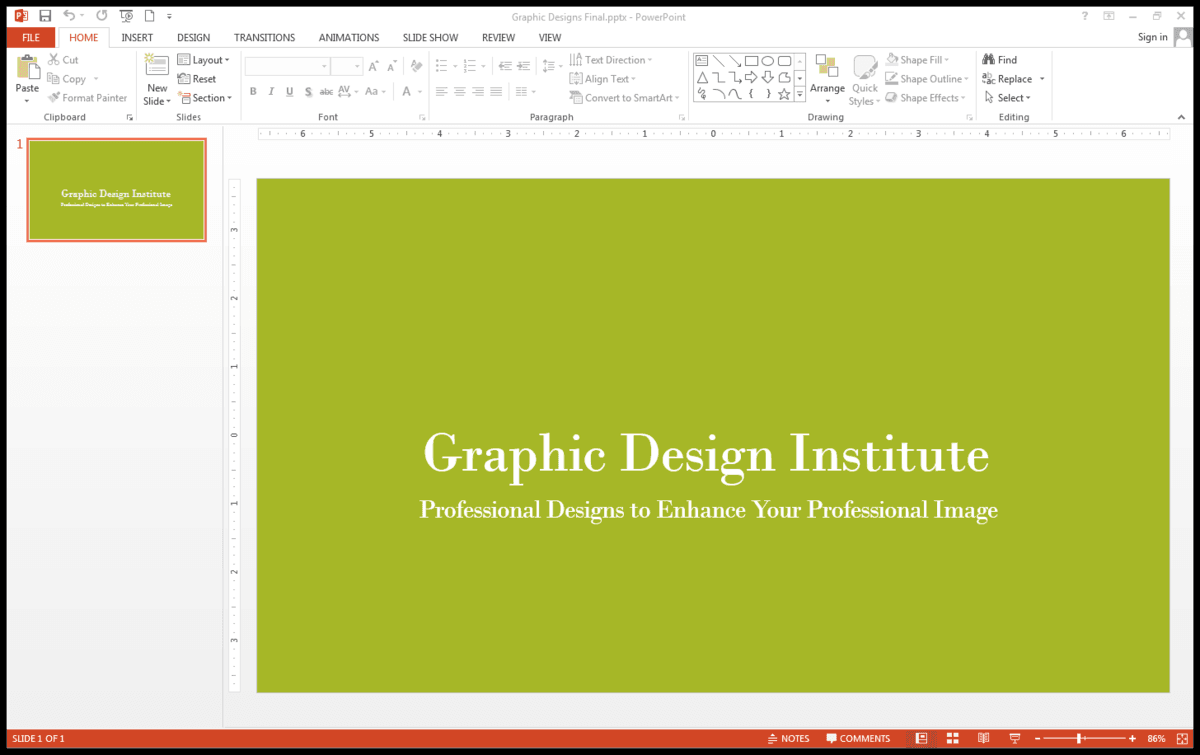
- Q 1/13Score 0The primary interface in PowerPoint includes all of following except29Status BarQuick Access ToolbarFormatting ToolbarRibbon


13 questions
Show answers
- Q1The primary interface in PowerPoint includes all of following exceptStatus BarQuick Access ToolbarFormatting ToolbarRibbon30s
- Q2A command is a tool on the Ribbon that tells PowerPoint to perform a specific task. Which of the following is not considered a command?listbuttoniconI-beam pointer30s
- Q3What is the name of the small pointer in the bottom right corner of the box?Drop down menuGroup buttonClose buttonDialog box launcher30s
- Q4The tabbed toolbar at the top of the window containing a strip of icons with groups of related tools is known asKeyTipsSlide Masterthe Mini Toolbarthe Ribbon30s
- Q5When you point to text that has been highlighted, this may show up as faint or semi-transparent.KeyTipsMini ToolbarQuick Access ToolbarSlide Master30s
- Q6This displays commands that are used frequently such as Save and Undo and can be customized.RibbonMini ToolbarStatus barQuick Access Toolbar30s
- Q7From what View and Tab can you access the following commands for managing files: Info, New, Open, Save, Save As, Print, Share, Export, Close, Account and Options.Backstage View/File TabOutline View/View TabNormal View/View TabLayout View/Home Tab30s
- Q8This is the default view where you can focus on an individual slide.Slide Sorter ViewNormal ViewOutline ViewNotes Page View30s
- Q9This view displays all the slide in a presentation on a single screen.Normal ViewOutline ViewSlide Sorter ViewReading View30s
- Q10This view shows one slide at a time along with any associated notes one has created.Normal ViewNotes Page ViewOutline ViewSlide Show View30s
- Q11This feature allows one to change the magnification of slides on the screen.ZoomMaximizeFit to ScreenOptimize30s
- Q12A box, built into many slides, that can hold either text or a graphic object is known in PowerPoint as aPlaceholderGraphic boxSmartArtLayout box30s
- Q13In this viewing mode there are no colors.Light ViewNo Color ModeShades of GrayGrayscale30s


