Tag the questions with any skills you have. Your dashboard will track each student's mastery of each skill.
Give this quiz to my class
Q 1/58
Score 0
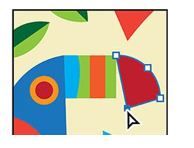
an image that is made up of lines and curves
30
Vector Graphic
Raster
JPEG
Q 2/58
Score 0
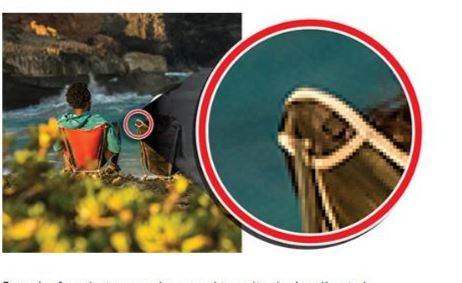
bitmap images that are made up of pixles
30
JPEP
Vector
Raster images
Tiff
58 questions
Q.
an image that is made up of lines and curves
1
30 sec
Q.
bitmap images that are made up of pixles
2
30 sec
Q.
Across the top of the window
3
30 sec
Q.
windows that help you monitor and modify your work. All panels can be accessed through the Windows menu
4
30 sec
Q.
displays the file(s) you’re working on.
5
30 sec
Q.
appears at the lower-left edge of the Document window. It displays information, zooming, and navigation controls
6
30 sec
Q.
on the left side of the workspace contains tools for selecting, drawing and painting, editing, and viewing, as well as the Fill and Stroke boxes, drawing modes, and screen modes
7
30 sec
Q.
CTRL + spacebar
8
30 sec
Q.
CTRL + ALT + Spacebar
9
30 sec
Q.
lets you select, move, rotate, and resize entire objects.
10
30 sec
Q.
temporary snap-to guides that help you align, edit, and transform objects or artboards.
11
30 sec
Q.
can be used to make changes to artwork such as resizing or rotating
12
30 sec
Q.
are used to control the shape of the path and work like pins holding a wire in place.
13
30 sec
Q.
lets you select anchor points or paths within an object so that it can be reshaped.
14
30 sec
Q.
used for the area that extends beyond the edge of the printed page, and it ensures that no white
15
30 sec
Q.
composed of anchor points with paths connecting the anchor points.
16
30 sec
Q.
with paths connecting the anchor points
17
30 sec
Q.
with distinct anchor points on each end, called end points
18
30 sec
Q.
Allows you to draw shapes manually or divide shapes
19
30 sec
Q.
which splits a path at an anchor point or on a line segment to create an open path.
20
30 sec
Q.
used to cut a shape into separate pieces
21
30 sec
Q.
Allows you to apply a fill to a line segment (path) or convert a line segment into a shape
22
30 sec
Q.
lets you erase any area of your vector artwork, regardless of the structure.
23
30 sec
Q.
let you use a vector object to cut a hole in another vector object.
24
30 sec
Q.
This tool allows you to visually and intuitively merge, delete, fill, and edit overlapping shapes and paths directly in the artwork.
25
30 sec
Q.
to merge two shapes permanently use ALT to convert to compound shape instead
26
30 sec
Q.
stretch parts of a path without distorting
27
30 sec
Q.
This allows you to create a variable width along the stroke of a path
28
30 sec
Q.
One "page" in an Illustator File
29
30 sec
Q.
to reduce or increase the size of an object by a certain percentage
30
30 sec
Q.
to flip an object by an invisible vertical or horizontal axis by using a reference point
31
30 sec
Q.
to move an object clockwise or counter clockwise by a certain degree
32
30 sec
Q.
adding an effect to an object that applies a different shape or texture to an object
33
30 sec
Q.
pinning an object at certain points to bend or rotate the object
34
30 sec
Q.
slants, skews the sides of an object along the axis you specfify
35
30 sec
Q.
one of the main drawing tools in Illustrator that’s used to create both free-form and more precise artwork. It also can be useful for editing existing vector artwork.
36
30 sec
Q.
direction lines that have a round direction point at the end of each.
37
30 sec
Q.
type of anchor point, with direction handles
38
30 sec
Q.
draw and edit paths quickly and visually to create paths with smooth refined curves and straight lines, without editing direction lines.
39
30 sec
Q.
lets you draw free-form open and closed paths that contain curves and straight lines
40
30 sec
Q.
use scrubbing gestures to join paths that cross, overlap, or have open ends
41
30 sec
Q.
Cyan, magenta, yellow, and black are the colors of ink used in four- color process printing.
42
30 sec
Q.
Red, green, and blue light are added together in various ways to create an array of colors.on-screen presentations, the Internet, or mobile apps.
43
30 sec
Q.
can apply custom colors by mixing different colors
44
30 sec
Q.
group of colors
45
30 sec
Q.
collections of preset colors
46
30 sec
Q.
suggest colors based on the color showing in the Set Base Color To The Current Color button
47
30 sec
Q.
lets you paint vector graphics intuitively by automatically detecting and correcting gaps that might otherwise affect the application of fills and strokes
48
30 sec
Q.
Object => Live Paint => Make
49
30 sec
Q.
uses the boundaries of an object (like a rectangle) to control the flow of characters, either horizontally or vertically.
50
30 sec
Q.
typing that builds the text box as you type
51
30 sec
Q.
creates text in a arc shape using different angles
52
30 sec
Q.
like invisible folders that help you hold and manage all of the items (some of which can be difficult to select or track) that make up your artwork.
53
30 sec
Q.
When a layer is hidden the __________ is not shown?
54
30 sec
Q.
You can rearrange the order of layers by dragging the ________