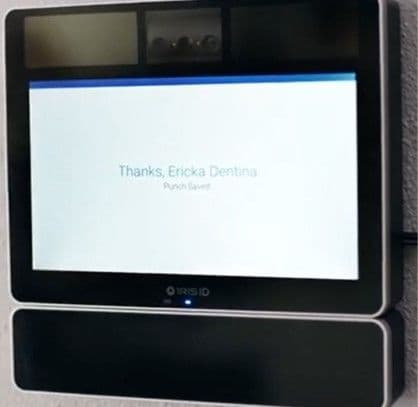
Feel free to use or edit a copy
includes Teacher and Student dashboards
Measure skillsfrom any curriculum
Tag the questions with any skills you have. Your dashboard will track each student's mastery of each skill.
- edit the questions
- save a copy for later
- start a class game
- automatically assign follow-up activities based on students’ scores
- assign as homework
- share a link with colleagues
- print as a bubble sheet
- Q1
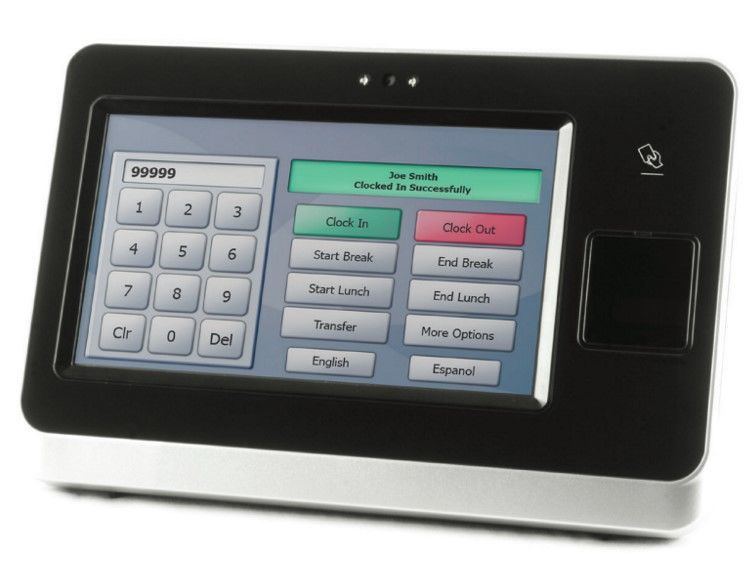
Which Clock is This?
Biometric Lathem/ZK Clock - Badge & Fingerprint
PST 1000/Trueshift
Invision Iris Time Clock
Invision Iris Time Clock - i8000
300s - Q2
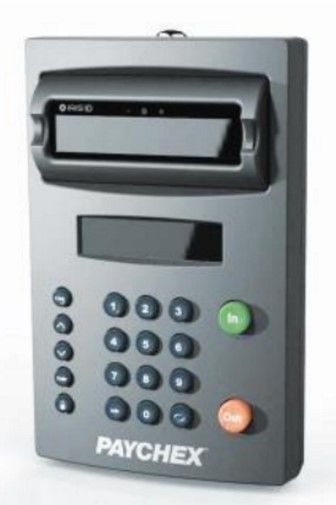
Which Clock is This?
PST 1000/Trueshift
Invision Iris Time Clock
Biometric Lathem/ZK Clock - Badge & Fingerprint
Invision Iris Time Clock - i8000
300s - Q3
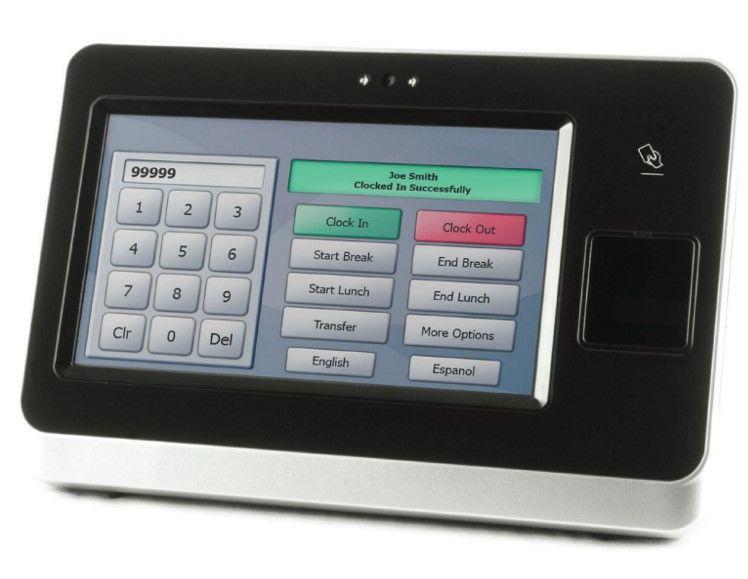
Which Clock is This?
PST 1000/Trueshift
Invision Iris Time Clock - i8000
Invision Iris Time Clock
Biometric Lathem/ZK Clock - Badge & Fingerprint
300s - Q4
What is recommended for the number of digits and starting position of the badge to be set at?
Users enter free textType an Answer300s - Q5
It is important to check "Wireless Adapter Enabled" when the client is using an ethernet cable to connect a clock to their network?
falsetrueTrue or False300s - Q6Punches that fail at the clock will show up in the 'Failed Transactions' section of the site.falsetrueTrue or False300s
- Q7
Which clock allows an employee to scan their finger?
Iris
BadgeProximityBiometric300s - Q8When an employee is unable to successfully enroll their finger, the alternative option is known as what?Test ReaderEnable Finger ScannerCustom EnrollSpecial Enroll300s
- Q9
Anytime an update is made within the Time & Attendance site, the admin must do what at the clock to ensure communication?
Enroll Fingerprint
Reset to Factory Defaults
Reboot the Clock
Sync the Clock
300s - Q10
Where can you find clock pricing information to assist clients with purchasing a new clock?

PFT Pricing & Order Form
WebOrs
Flexsupt
Brandadmin
300s