Loading...


TLE Grade 8 - Photo Editing Final Assessment
Quiz by Bles Garing
Tag the questions with any skills you have. Your dashboard will track each student's mastery of each skill.
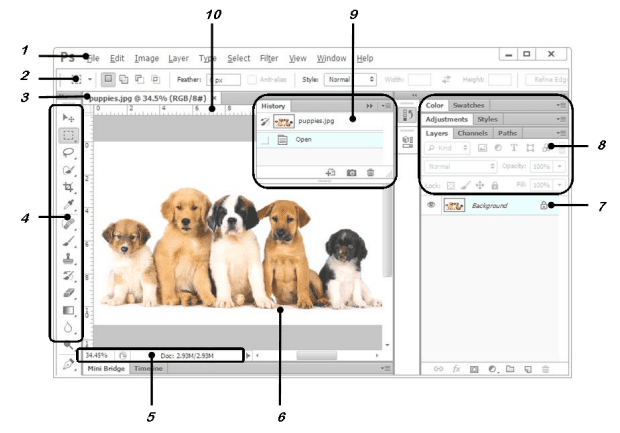
Identify the parts of the Photoshop window. Field no. 1 is known as?
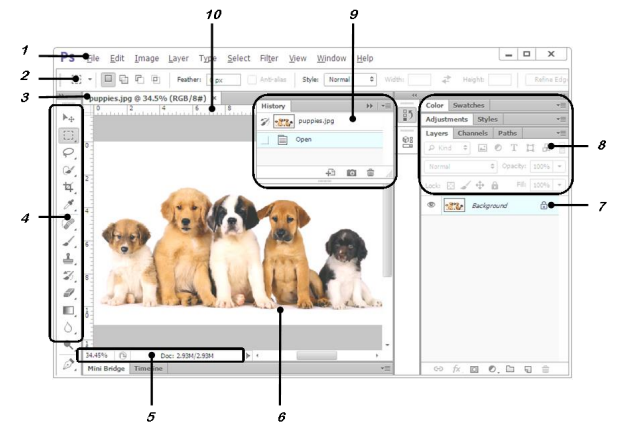
Identify the parts of the Photoshop window. Field no. 2 is known as?
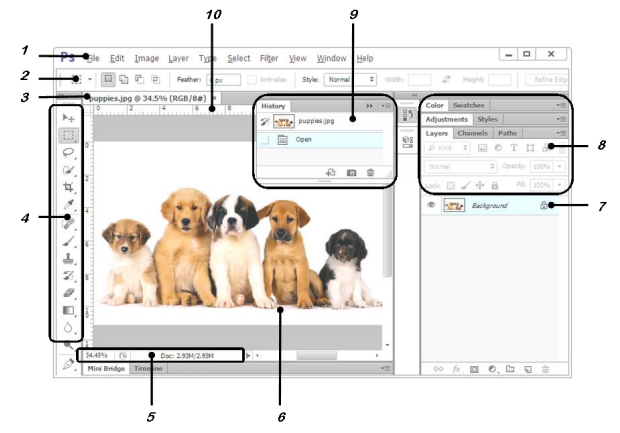
Identify the parts of the Photoshop window. Field no. 1 is known as?
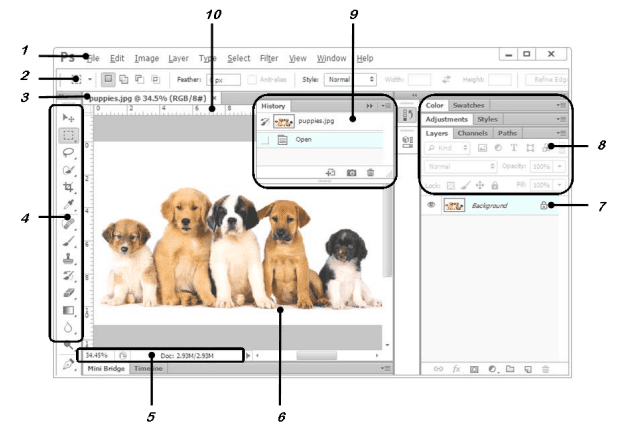
Identify the parts of the Photoshop window. Field no. 2 is known as?
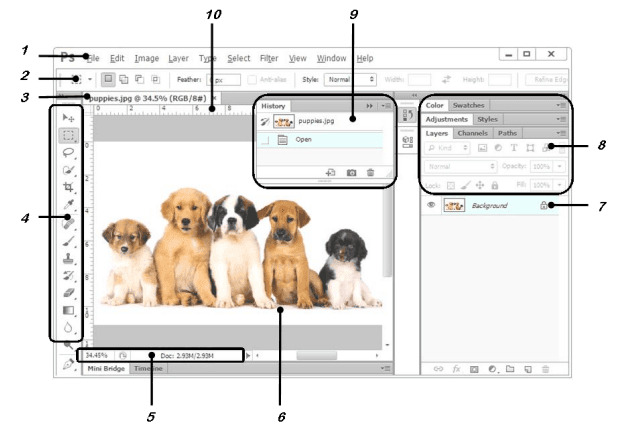
Identify the parts of the Photoshop window. Field no. 3 is known as?

Identify the parts of the Photoshop window. Field no. 4 is known as?

Identify the parts of the Photoshop window. Field no. 5 is known as?
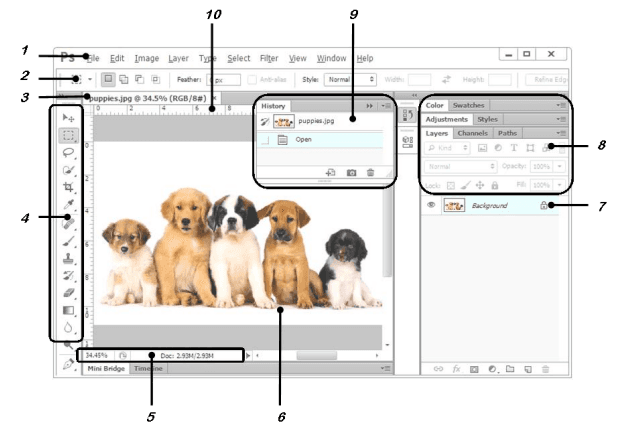
Identify the parts of the Photoshop window. Field no. 6 is known as?
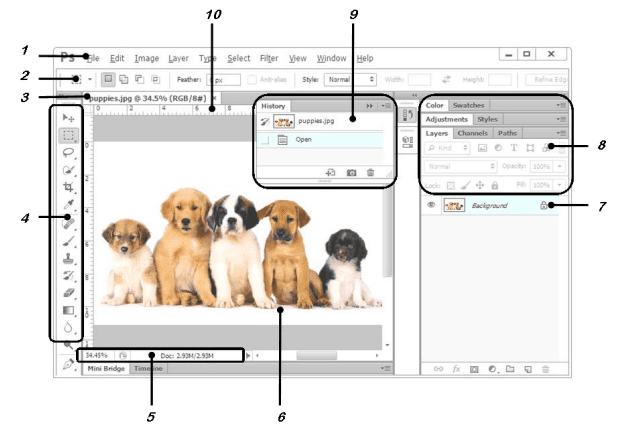
Identify the parts of the Photoshop window. Field no. 7 is known as?

Identify the parts of the Photoshop window. Field no. 8 is known as?

Identify the parts of the Photoshop window. Field no. 9 is known as?
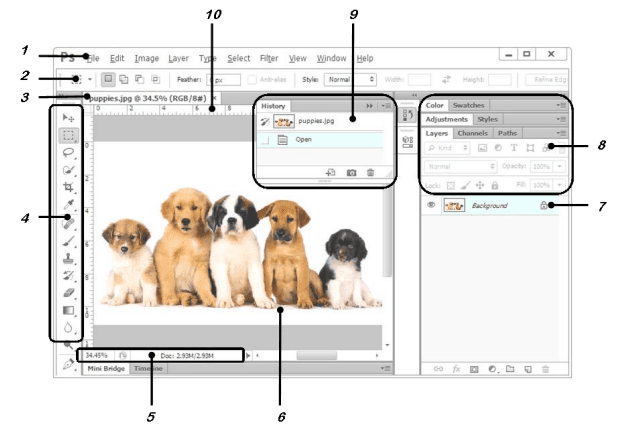
Identify the parts of the Photoshop window. Field no. 10 is known as?
Brush is a
Rectangular Marquee is a
Path Selection is a
Healing Brush is considered as
Magnify is considered as
It has many tools that allow you to control and modify the image that you opened in Photoshop.
These are the first five icons from the top of the toolbox.
It is the process of removing portions of a photo to create focus or strengthen the composition.
It displays controls that let you customize the selected tool in the toolbox.
It displays the image or file that you have opened.
To resize your image to a preset size, click
To resize the digital photos without losing the quality, you must
A good method for enlarging images based on Bicubic interpolation but designed to produce smoother results.
You can see the relationship between image size and resolution in the
We can see the current file size of the image in this section.