Loading...

FIRST PERIODICAL TEST IN COMPUTER SCIENCE 8/ ROBOTICS
Quiz by Maricel M. Cantara
Tag the questions with any skills you have. Your dashboard will track each student's mastery of each skill.
It is the process of altering images, whether they are digital photographs, traditional analog photographs, or illustrations
They are incredibly versatile, come in a variety of formats, and deliver context, information and emotions that words alone struggle to convey.
It refers to the number of dots per inch (dpi) that appear in your images final form.
Vector graphics software, are used to create and modify vector images, which are stored as descriptions of lines, Bézier splines and text instead of pixels. Which is Not Vector graphic software?
This refers to the regions in an image that will be affected by the various tools.
It refers to the number of pixels in a full-size image.
It refers to the types of colors you will be using in your image.
If you want to toggle back and forth the "Selection" and "Image" options in the Replace Color adjustment, what keyboard shortcut would you use?
In Color mode this refers to the three channel color mode suitable for images to be viewed on the web
In Adobe Photoshop, the Screen resolution is close to ____ pixels per inch.
A ______ is worth a thousand words.
It is an image editing tool, not a design tool.
The real power of Photoshop is in working with existing _________.
The most important element of the Photoshop interface.
It contains a bunch of icons that represent the different tools Photoshop offers to alter and create images, what element of the Adobe interface is the figure below?

In the Adobe Photoshop interface it displays location information, tool options, and history, among other things.
This is probably the most familiar interface element to a new Photoshop users.
The following are the features of the Menu Bar EXCEPT one.
It contains all of the stuff you expect. It lets you open and close documents with a few extras including import, which deals with scanning and save for the web, which allows you to export a web-ready image from your Photoshop file.
It is another familiar menu. In Photoshop, it houses all of the expected options as well as fill and stroke, and other image-altering functions.
It is similar to the image menu, which allows you to make changes to an image without altering your original image data and contains options that affect only current or selected layers.
This menu gives you some options regarding selections, including the ability to save selections, reverse them, or add to them.
This menu can use to show and display guidelines on the image and to zoom in and out, among other things.
This element is located directly underneath the menus and is a useful tool when working with different Photoshop tools.
Select this checkbox to resize the window along with the image zoom. Deselect the box to zoom in and out of an image while the image window remains at a fixed size.
Click to fit the image within the image window.
This figure shows you the current zoom level as a percentage. You can edit the text by typing
values between 5 and 3200.
If you have multiple images open and select this check box, zooming with the zoom tool zooms all open documents simultaneously
Click this button to zoom the current window to a 1-to-1 ratio, showing the zoom level at which the file will be printed.
Click to zoom the current window to fill the screen
What part of the Programming Screen is labeled with the number 1?

What part of the Programming Screen is labeled with the number 2?
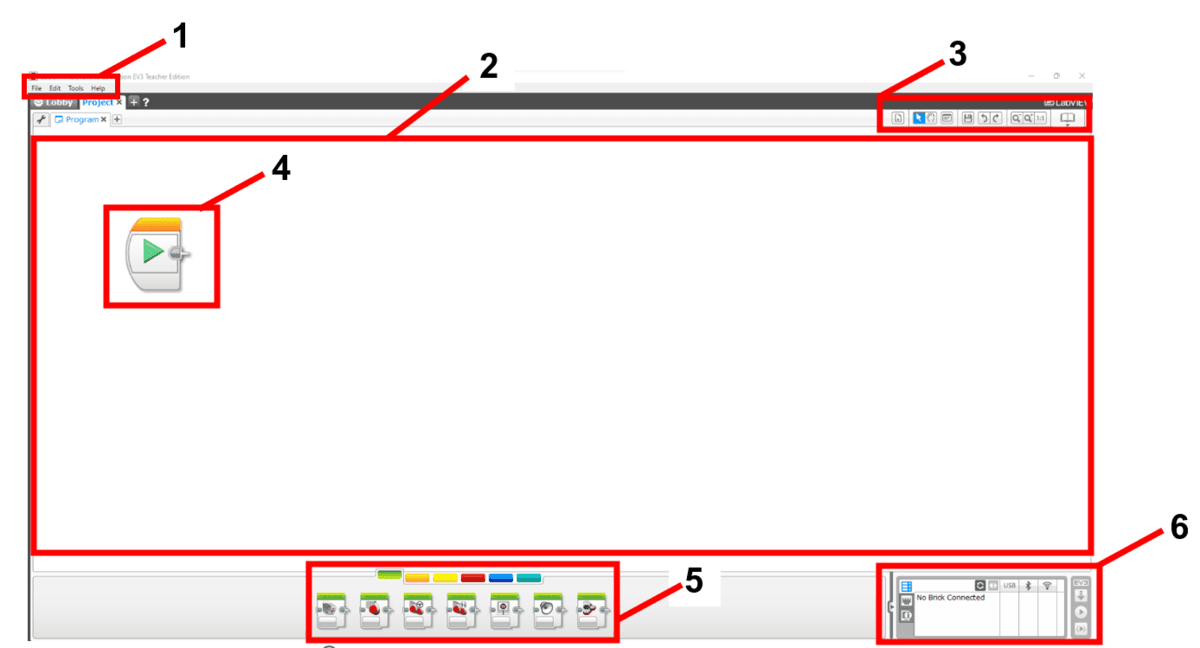
What part of the Programming Screen is labeled with the number 3?

What part of the Programming Screen is labeled with the number 4?
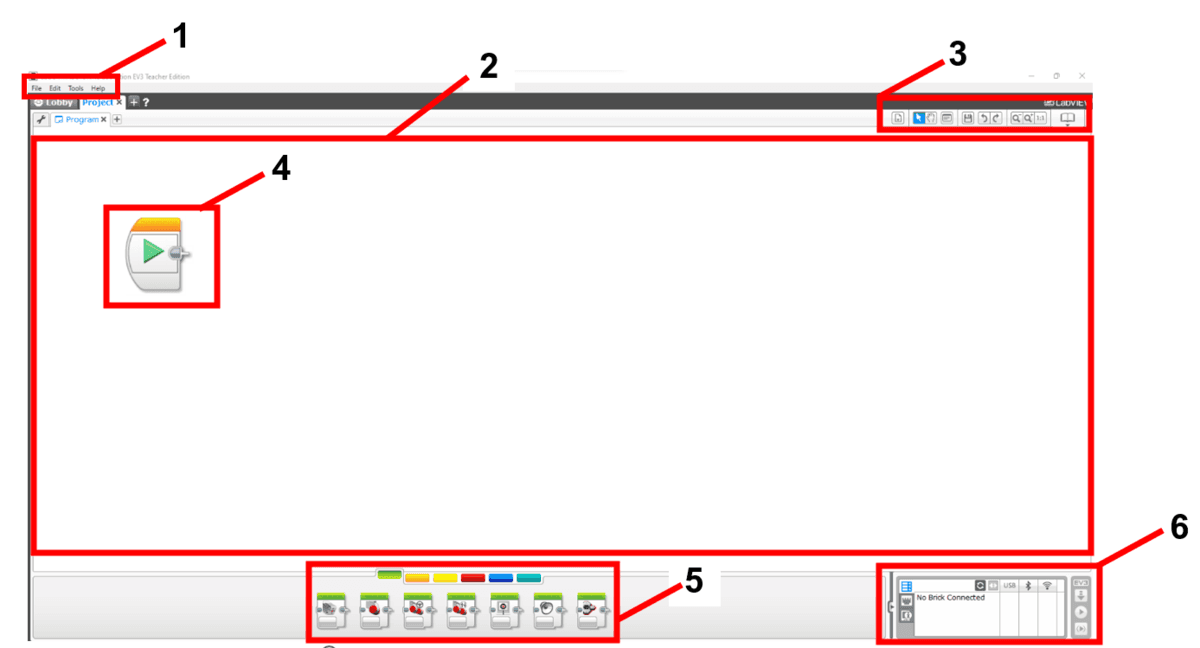
What part of the Programming Screen is labeled with the number 5?

What part of the Programming Screen is labeled with the number 6?

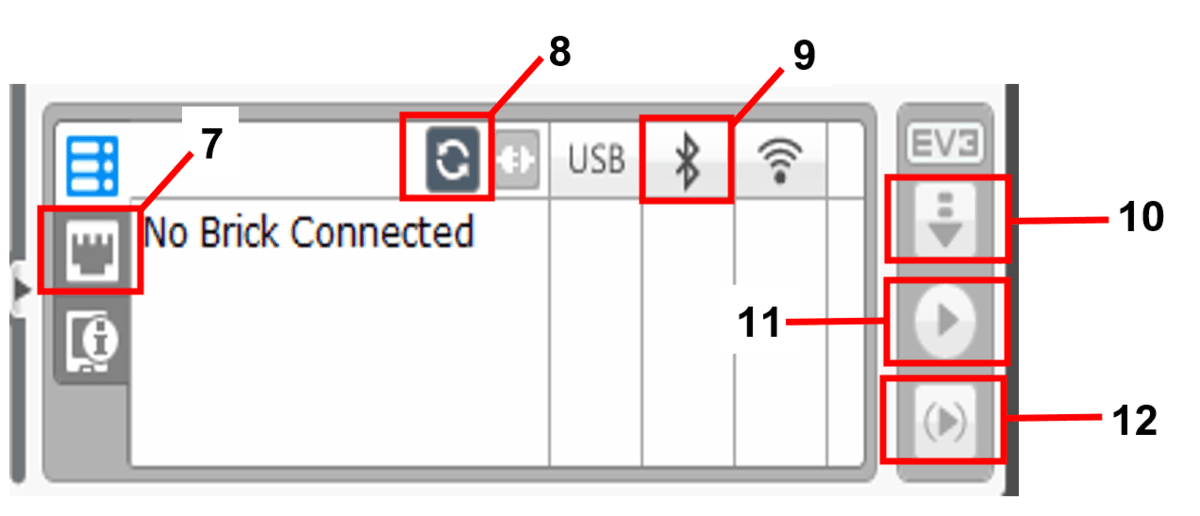
If you want to check on the active port of your EV3, what button should be clicked on?

If you want to connect your EV3 to your laptop, what button should be clicked on?
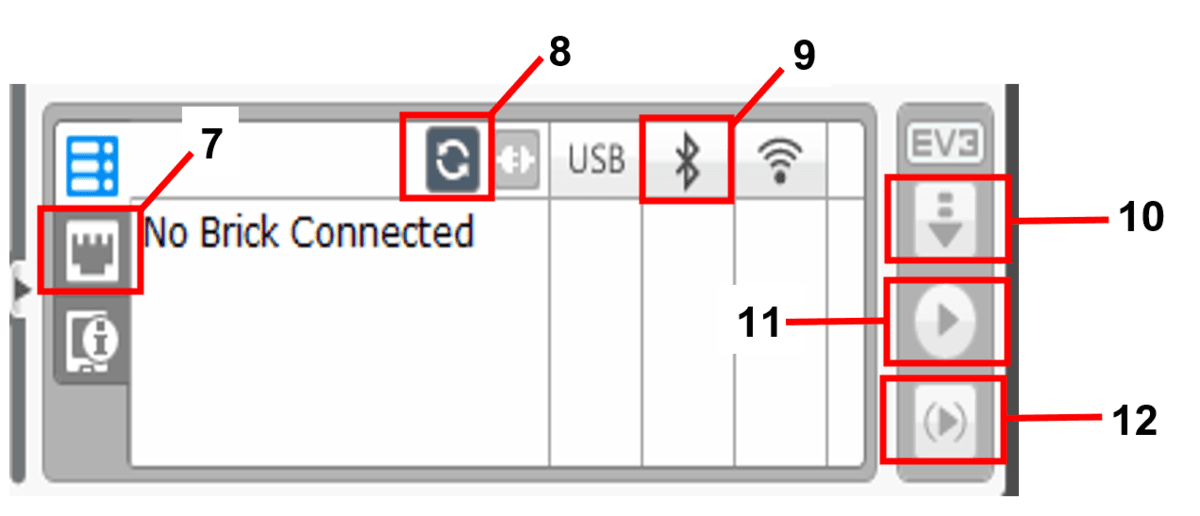
To view the available devices near to your laptop you can click this button.

This button makes the EV3 robot download and run the received program.

This button makes the EV3 robot download the received program.
What program palette is labeled with the number 13?
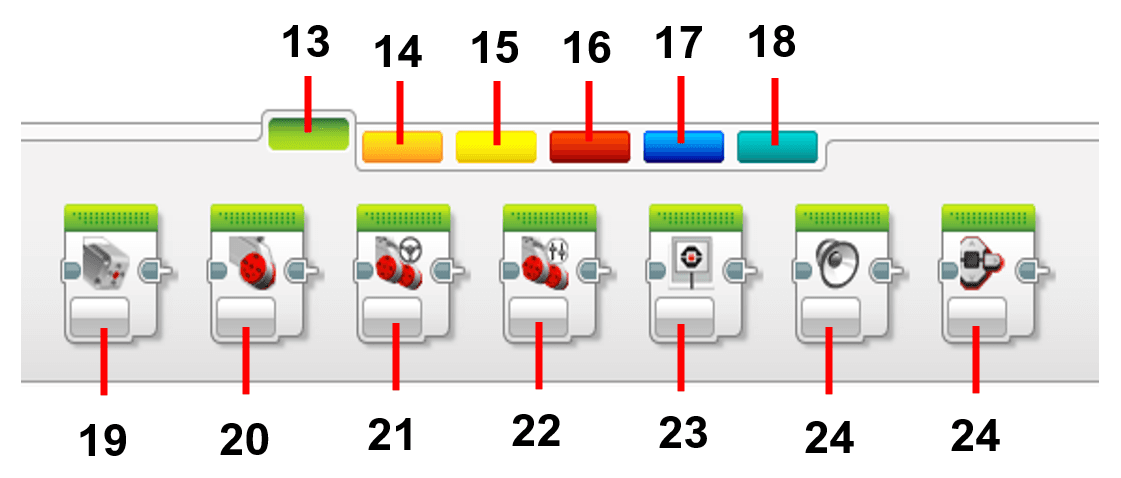
What number represents the Flow Control palette?

What program palette is labeled with the number 14?

What number represents the Data Operations palette?
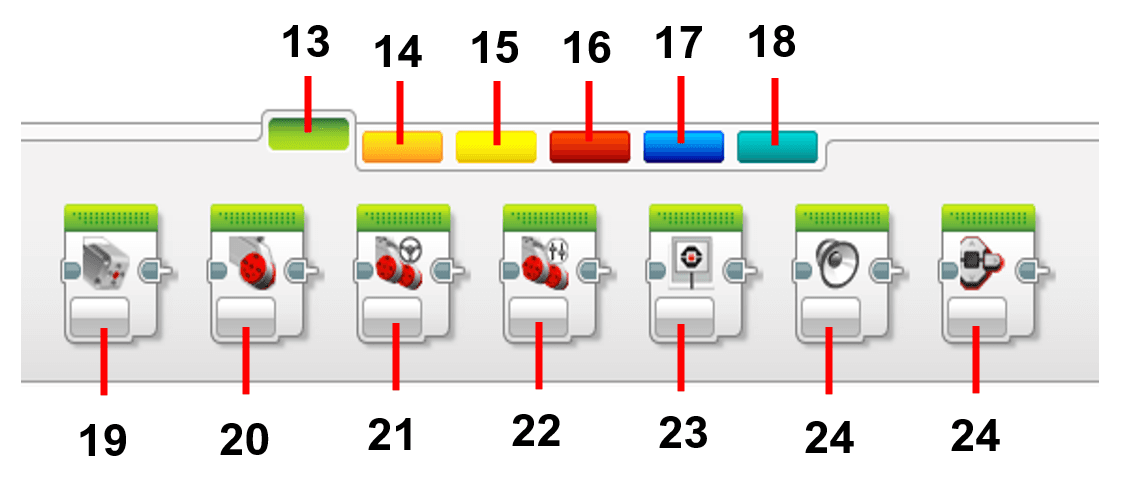
The program block that is labeled with the number 20?

What program block is labeled with the number 21?

Which of the following program shows that port B is the active motor?
What will the robot do if you use the program below?
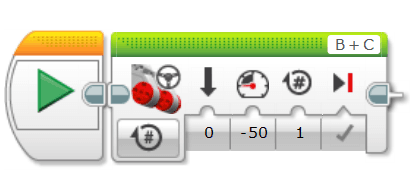
If you want the robot to move straight forward, what is the best program to run?
